In the world of business, your data isn’t just important—it’s everything. From client records held by your law firm and financial accounts managed by your accounting practice to the project files that drive your marketing agency, a single data loss event can be catastrophic. Whether it’s a hardware failure in your Christchurch office, a ransomware attack targeting an Auckland server, or simple human error, the consequences can halt operations and severely damage your hard-earned reputation.
That’s why establishing the best backup strategy for your small business isn’t just an IT task; it’s a fundamental business necessity. For New Zealand SMEs, where resilience and adaptability are key, a robust data protection plan is your ultimate safety net. A solid backup system is the cornerstone of business continuity and should be integrated within a broader security framework, like that outlined in a modern data breach response plan, to ensure complete preparedness.
This guide moves beyond generic advice to deliver actionable insights. We will explore eight proven backup strategies, detailing how to implement each one effectively. From the foundational 3-2-1 Rule to advanced hybrid and ransomware-protected approaches, you will gain the knowledge needed to select and deploy the perfect data defence for your organisation’s unique needs. Our goal is to empower you to recover quickly and confidently from any setback, ensuring your business remains secure and operational. With our nationwide service based right here in Christchurch, New Zealand, we understand the specific challenges Kiwi businesses face.
1. 3-2-1 Backup Rule
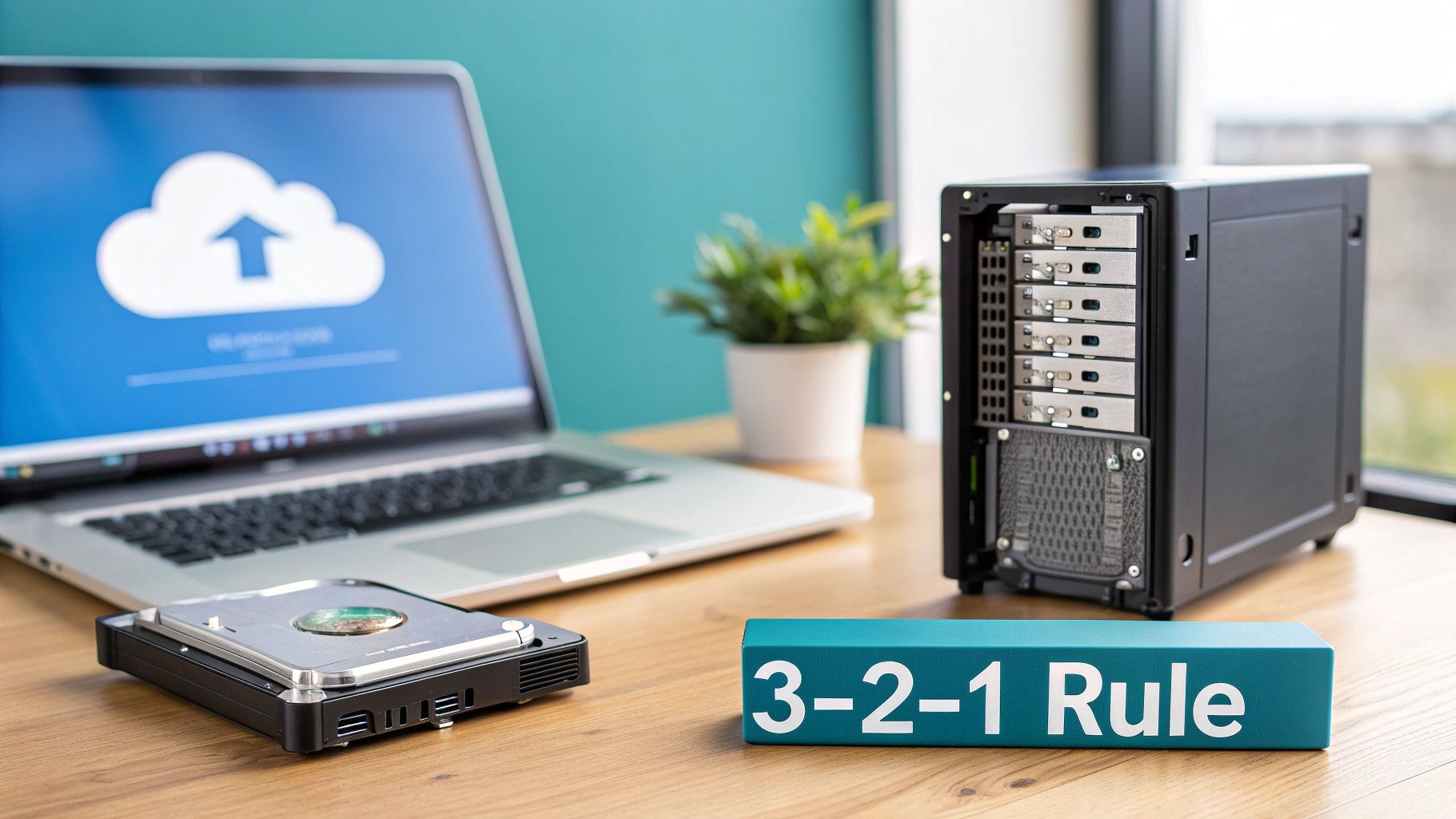
The 3-2-1 rule is the gold standard for data protection and is widely considered the best backup strategy for small businesses in New Zealand and globally. It’s a simple, memorable framework that provides robust defence against nearly any data loss scenario, from hardware failure to a natural disaster. Popularised by industry leaders like Veeam and endorsed by standards bodies such as NIST, its logic is built on redundancy and diversification.
The methodology is straightforward:
- Three total copies of your data.
- Two different types of storage media.
- One copy located offsite.
How It Works in Practice
Implementing the 3-2-1 rule eliminates single points of failure. If your primary server fails, you have a local backup. If a fire or flood destroys your office, your offsite copy is safe. By using different media, you protect against device-specific failures or corruption.
Here’s a real-world example for a Kiwi law firm in Christchurch:
- Copy 1 (Primary): Client files and case data are actively used on the main office server.
- Copy 2 (Local): Nightly backups are automatically saved to a Network Attached Storage (NAS) device in a secure server room. This is a different medium from the primary server’s internal drives.
- Copy 3 (Offsite): The NAS then syncs an encrypted copy of the backups to a secure cloud vault, such as one provided by a New Zealand-based service like Backup.co.nz, ensuring the data is geographically separate and safe from local disasters.
Key Insight: The power of the 3-2-1 rule isn’t just in having multiple copies; it’s about having them in different locations and on different formats, which is crucial for comprehensive disaster recovery.
Actionable Tips for Implementation
To effectively deploy this strategy, consider these practical steps:
- Automate Everything: Manual backups are prone to human error. Use software to schedule automatic, consistent backups.
- Test Your Restores: A backup is useless if you can’t restore from it. Schedule quarterly tests to ensure you can recover files successfully.
- Encrypt All Copies: Sensitive business data should be encrypted both in transit and at rest, especially the offsite copy.
- Document Your Process: Keep a secure record of where backups are stored, the software used, and access credentials.
For New Zealand businesses looking to simplify the offsite component, using a local cloud provider is ideal. A Christchurch-based company like Backup can manage your offsite copy, ensuring your data remains within NZ and is handled by local experts. We offer a no-obligation 14-day free trial to get you started.
2. Incremental Backup Strategy
An incremental backup strategy is an intelligent and efficient approach that saves time, storage space, and network bandwidth. Popularised by leading data management platforms like Acronis and Veritas, this method is highly effective for businesses that generate a lot of new data daily. It’s a core component of many modern data protection plans, making it one of the best backup strategy for small business operations.
The methodology works in two stages:
- One initial full backup is created.
- Subsequent backups only capture data that has changed since the last backup (full or incremental).
This creates a chain of smaller, faster backups, significantly reducing the daily workload compared to running a full backup every time.
How It Works in Practice
The primary benefit of an incremental strategy is its efficiency. Because you are only backing up small changes, the process is incredibly fast and consumes minimal resources. This is ideal for busy work environments where system performance cannot be compromised.
Here’s a real-world example for a New Zealand accounting firm in Wellington:
- Full Backup (Sunday): A complete backup of all client financial records, ledgers, and software data is performed over the weekend and stored on a local NAS.
- Incremental Backup (Monday-Saturday): Each weeknight, the backup software scans for and saves only the specific files that were modified that day, such as updated client accounts or newly added invoices.
- Restoration: To restore the system to its state on Wednesday, you would need Sunday’s full backup, plus the incremental backups from Monday, Tuesday, and Wednesday.
Key Insight: Incremental backups excel at minimising the daily backup window and storage footprint. The trade-off is a more complex restoration process, as you may need to apply multiple backup sets to fully recover your data.
Actionable Tips for Implementation
To successfully use an incremental backup strategy, focus on organisation and integrity:
- Automate Chain Management: Use modern backup software that automatically manages the backup chain. This software should handle the creation, verification, and eventual consolidation of old incremental files.
- Establish Clear Retention Policies: Decide how long to keep your backup chains. A common policy is to keep daily incrementals for a week, then consolidate them into a weekly backup, and create a new full backup each month.
- Monitor Backup Integrity: Regularly verify your backup chains to ensure there is no corruption. A single corrupted incremental file can make all subsequent backups in that chain unusable.
- Combine with Full Backups: Schedule regular full backups (e.g., weekly or monthly) to start a new, clean chain. This limits the length of any single chain and reduces the complexity of a potential full restore.
For Kiwi businesses seeking an automated solution, a managed service is the perfect fit. A local expert like Backup can configure and manage an optimised incremental schedule for you, ensuring your data is backed up efficiently and securely within New Zealand. We can help you get started with a 14-day free trial to demonstrate how simple and effective this strategy can be.
3. Cloud-Based Backup Solutions
Leveraging cloud-based backup solutions is a modern and highly effective strategy for small businesses in New Zealand. This approach involves using third-party cloud services, from giants like AWS and Microsoft Azure to specialised providers such as Backblaze or local NZ experts, to securely store your data offsite. It eliminates the need for managing physical tapes or hard drives, offering a scalable, automated, and professionally managed infrastructure for data protection.
This strategy neatly fulfils the “offsite” requirement of the 3-2-1 rule while adding layers of security and accessibility. Instead of businesses physically transporting media, data is encrypted and transmitted over the internet to secure data centres, making it a cornerstone of a robust disaster recovery plan.

How It Works in Practice
Cloud backups typically run via a small software agent installed on your servers or computers. This agent automatically identifies new or changed files, encrypts them, and sends them to the cloud provider’s storage on a pre-defined schedule. This “set and forget” process ensures backups are consistent and reliable without daily manual intervention.
Here’s how a marketing agency in Auckland might implement it:
- Primary Data: Critical client campaign data, creative assets, and financial records reside on their local office server.
- Backup Process: A service like Backup is configured to perform automatic, incremental backups every evening. The software encrypts the data before it leaves the office network.
- Offsite Storage: The encrypted backups are securely stored in a data centre located in Christchurch, ensuring data sovereignty and quick restoration times if needed.
Key Insight: The main advantage of a dedicated cloud backup service over simple cloud storage is automation and versioning. These services are built for recovery, allowing you to restore data from a specific point in time, which is crucial for recovering from ransomware attacks or data corruption.
Actionable Tips for Implementation
To get the most out of a cloud-based backup strategy, follow these best practices:
- Prioritise Data Residency: For compliance and performance reasons, choose a provider with data centres located within New Zealand.
- Enable Multi-Factor Authentication (MFA): Add an essential layer of security to your backup account to prevent unauthorised access.
- Understand Your Bandwidth: Initial backups can be large. Ensure your internet connection can handle the upload without disrupting daily operations.
- Test Your Cloud Restores: Regularly test file and system restoration from the cloud to confirm the process works and your team knows how to execute it during an emergency.
For Kiwi businesses, using a local provider like Christchurch-based Backup offers significant advantages. It ensures your data remains in NZ, managed by local experts who understand regional business needs. We offer straightforward plans like Business 10 for $30/month, Business 20 for $50/month, Business 50 for $100/month, and Business 100 for $150/month. You can explore the service with a no-obligation 14-day free trial. You can learn more about Cloud-Based Backup Solutions for SMBs in NZ to see how it can fit your business.
4. Network Attached Storage (NAS) Backup
A Network Attached Storage (NAS) device is a powerful, centralised file server that makes an excellent cornerstone for a local backup strategy. It’s a dedicated piece of hardware connected to your office network, providing a fast, secure, and easily accessible location for backing up data from all company servers and workstations. Popularised by brands like Synology and QNAP, a NAS is a go-to solution for businesses needing high-capacity, on-premises data protection.
This strategy offers several key advantages:
- Speed: Restoring large files from a local NAS is significantly faster than downloading from the cloud.
- Control: Your data remains entirely within your physical control on your own network.
- Scalability: You can easily add more storage capacity as your business grows.
How It Works in Practice
A NAS functions as a private data repository. You can configure backup software on your employees’ computers and your main server to automatically save copies of important files to the NAS at regular intervals, such as every night. This centralisation simplifies backup management and ensures consistency.
Here’s a real-world example for a design studio in Wellington:
- Primary Data: Large graphic design files and project data are stored on individual designer workstations and a central project server.
- Local Backup: Every night, automated backup software copies all new and changed files from the workstations and server to a multi-bay Synology NAS. The NAS is configured with RAID 6, meaning it can withstand two hard drive failures without any data loss.
- Offsite Sync: The NAS then syncs an encrypted version of these backups to an offsite cloud vault, fulfilling the 3-2-1 rule.
Key Insight: A NAS provides robust protection against hardware failure and accidental deletion with local speed, but it does not protect against site-wide disasters like fire or theft. It must be paired with an offsite component for a complete strategy.
Actionable Tips for Implementation
To maximise the effectiveness of your NAS backup solution, follow these best practices:
- Choose the Right RAID: Use RAID 5 or RAID 6 for redundancy. This protects your backup data even if one or two hard drives in the NAS fail.
- Use a UPS: Connect your NAS to an Uninterruptible Power Supply (UPS) to protect it from power surges and allow for a graceful shutdown during an outage.
- Automate Schedules: Configure your backup software to run automatically during off-hours to avoid disrupting workflow.
- Select Reliable Drives: The longevity of your NAS depends on its hard drives. When planning your setup, you can find helpful resources for evaluating storage drives for NAS solutions.
For Kiwi businesses, a NAS is a fantastic local component of the best backup strategy. To secure the critical offsite copy, a New Zealand-based cloud provider like Backup is the perfect partner. We can sync with your NAS to ensure your data is safely stored in a local data centre, managed by experts right here in Christchurch. You can get started with a 14-day free trial to see how it works.
5. Backup-as-a-Service (BaaS)
For many small businesses, managing an in-house backup strategy can be complex and time-consuming. Backup-as-a-Service (BaaS) offers a powerful alternative, outsourcing the entire process to a specialised third-party provider. This model combines sophisticated software, secure cloud storage, and expert management into a single, subscription-based service, making it an ideal backup strategy for small business owners who lack dedicated IT staff.
The BaaS methodology involves a Managed Service Provider (MSP) taking full responsibility for:
- Implementation: Setting up the backup software and policies.
- Monitoring: Proactively checking for successful backups and errors.
- Management: Handling all maintenance, updates, and troubleshooting.
- Recovery: Assisting with data restoration during a crisis.
How It Works in Practice
With BaaS, your business data is automatically backed up to the provider’s secure data centres. This removes the burden of purchasing and maintaining hardware, managing software licences, or dedicating staff hours to oversee the process. The provider handles everything, ensuring your data is protected according to agreed-upon service levels.
Consider a multi-location retail chain based in New Zealand:
- Challenge: Managing backups across several stores with limited onsite IT support is a logistical nightmare.
- BaaS Solution: An MSP deploys backup agents to all point-of-sale systems and office computers. Data is centrally managed and backed up to a secure NZ-based cloud.
- Outcome: The head office gains a unified view of all backups, and the MSP ensures every location is protected, handling restores quickly if a local device fails, minimising downtime and lost sales.
Key Insight: BaaS transforms data protection from a capital expense (buying hardware) and an operational headache into a predictable, managed operational expense. It provides access to enterprise-grade technology and expertise without the associated cost and complexity.
Actionable Tips for Implementation
Choosing the right BaaS provider is crucial for success. Here’s what to look for:
- Review the SLA: Scrutinise the Service Level Agreement for guaranteed Recovery Time Objectives (RTO) and Recovery Point Objectives (RPO).
- Verify Compliance: If you’re in healthcare or finance, ensure the provider holds relevant compliance certifications and understands NZ privacy laws.
- Ask About Testing: Confirm how often the provider conducts disaster recovery tests and ask for reports.
- Understand Data Ownership: Clarify your rights regarding data ownership and portability. A clear exit strategy is essential if you ever need to change providers.
For Kiwi businesses seeking a local, trusted partner, Backup provides a fully managed BaaS solution. Based in Christchurch, our team of experts handles everything, ensuring your data remains secure within New Zealand. Our plans are tailored for small businesses, and you can get started with a 14-day free trial.
6. Hybrid Backup Approach
A hybrid backup approach is an advanced strategy that combines multiple backup methods, such as local, cloud, and offsite physical media, into a single, cohesive system. It moves beyond a one-size-fits-all solution, recognising that different data has different recovery requirements. This model is often considered the most resilient backup strategy for small businesses as it leverages the unique strengths of each component to maximise protection and flexibility.
The methodology involves layering different backup solutions:
- Local Backups: For fast, on-site recovery from common issues like file deletion or hardware failure.
- Cloud Backups: For secure, automated offsite protection against localised disasters like fire or theft.
- Offsite Physical Media: For long-term archival, air-gapped security against ransomware, or compliance needs.
How It Works in Practice
Implementing a hybrid approach creates a multi-layered defence tailored to your business needs. It ensures you have the right tool for every recovery scenario, balancing speed, security, and cost-effectiveness. This strategy is particularly valuable for businesses with complex data environments or strict regulatory obligations.
Here’s a real-world example for a financial services firm in Auckland:
- Layer 1 (Local): Critical client transaction data is backed up every hour to an on-premise Network Attached Storage (NAS) device for rapid operational recovery.
- Layer 2 (Cloud): The NAS automatically syncs nightly encrypted backups to a secure cloud vault with a provider like Backup, ensuring data is protected offsite.
- Layer 3 (Archive): Quarterly backups of financial records are archived to LTO tapes and stored in a secure, third-party vault to meet long-term data retention regulations.
Key Insight: A hybrid strategy’s strength lies in its ability to match the recovery solution to the specific business need. It provides fast local restores for everyday incidents and robust offsite options for major disasters, creating a comprehensive business continuity plan.
Actionable Tips for Implementation
To effectively deploy this sophisticated strategy, consider these practical steps:
- Document the Architecture: Create a clear diagram and documentation of your entire backup ecosystem, including all locations, software, and schedules.
- Centralise Monitoring: Use a dashboard or backup management software that can monitor all backup jobs (local, cloud, and archival) from a single interface.
- Define Recovery Procedures: Create specific, step-by-step recovery plans for different scenarios, detailing which backup type to use and when.
- Test Each Layer: Don’t just test your cloud restore. Regularly schedule tests to recover data from your local NAS and your long-term archive to ensure all components are functional.
For Kiwi businesses, integrating a local cloud partner is a crucial part of a modern hybrid strategy. A Christchurch-based specialist like Backup can seamlessly manage the cloud layer, ensuring your offsite data stays in New Zealand. You can test this component with a 14-day free trial, with affordable plans for every business size.
7. Ransomware-Protected Backup Strategy
Standard backups are no longer enough; modern cybercriminals now design attacks to seek out and encrypt your backups first, rendering them useless. A Ransomware-Protected Backup Strategy is an evolution of traditional methods, specifically built to counter this threat. It incorporates features like immutability and air-gapped systems to create a fortress around your data, ensuring that even if your live systems are compromised, your backups remain untouched and recoverable. This approach is championed by cybersecurity bodies like CISA and leading tech firms such as Datto and Veeam.
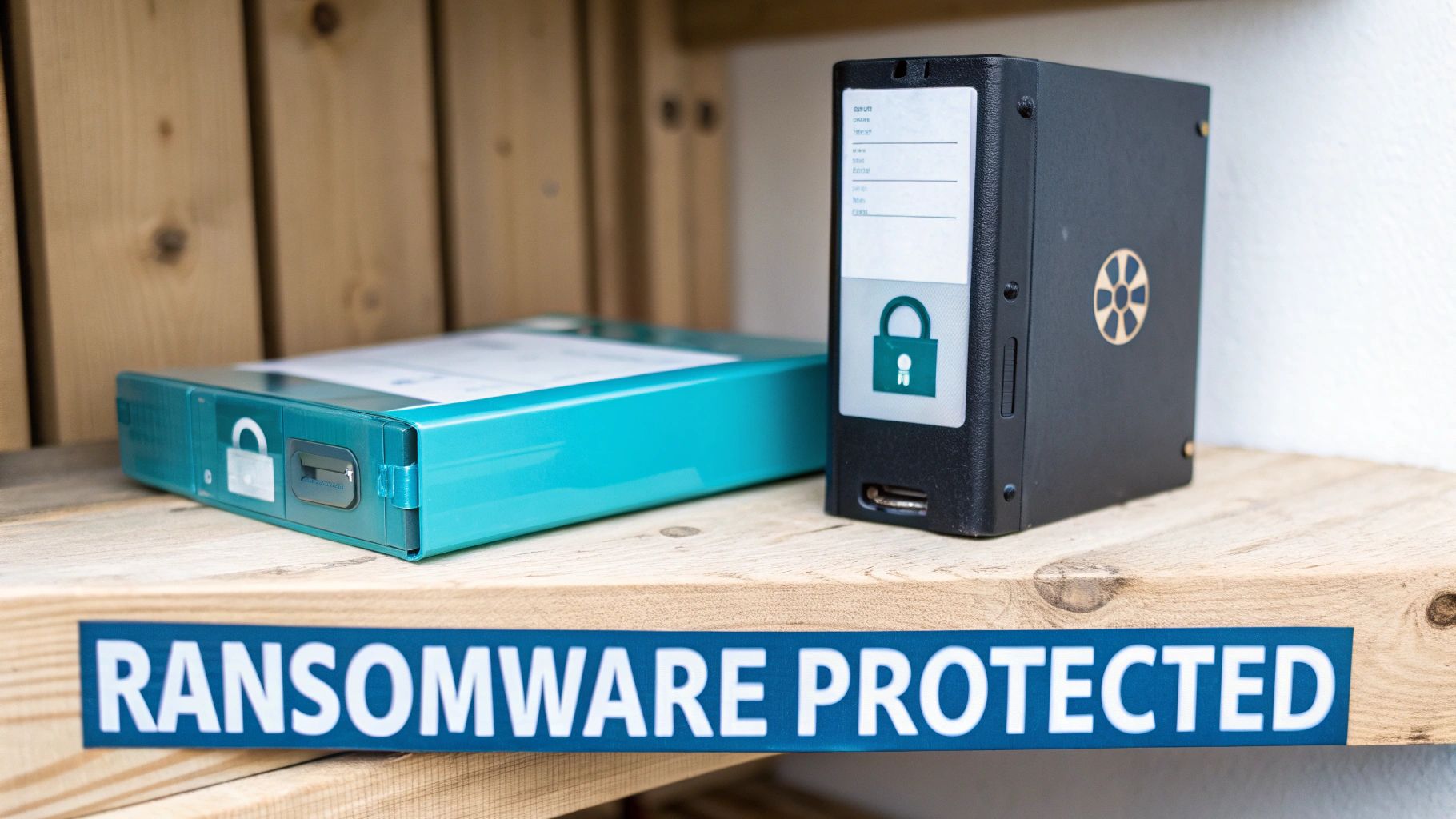
The core principle is to make backups unchangeable (immutable) or physically disconnected (air-gapped) for a set period. This means that even if a ransomware variant gains access to your network, it cannot delete or encrypt the secured backup copies, providing a clean, reliable point for restoration.
How It Works in Practice
This advanced strategy builds layers of defence directly into the backup process itself. It moves beyond simple data copies to create a resilient recovery environment that anticipates and neutralises malicious actions.
Here’s a practical example for a healthcare provider in Dunedin:
- Primary System: Patient records are stored and managed on the clinic’s primary servers.
- Immutable Local Backups: Nightly backups are sent to a dedicated on-site appliance (like a Datto SIRIS) that creates immutable snapshots. These snapshots cannot be altered or deleted for a 90-day retention period, even by an administrator with full credentials.
- Air-Gapped Cloud Copy: These immutable snapshots are then replicated to a secure, offsite cloud vault. The connection is only active during the brief sync window, creating a virtual “air gap” that isolates the offsite data from any ongoing network attack.
Key Insight: The critical shift in a ransomware-protected strategy is treating your backups with the same level of security as your primary data. It assumes an attack will happen and makes the backup system itself a hardened target.
Actionable Tips for Implementation
To build a truly ransomware-resilient backup system, follow these steps:
- Implement Immutability: Use backup solutions that support immutable storage, both locally and in the cloud. Set a retention period that gives you ample time to detect and respond to an attack (30+ days is a good start).
- Create an Air Gap: Ensure your offsite copy is logically or physically isolated from your primary network. Cloud solutions with temporary connection windows or fully offline media (like tapes) can achieve this.
- Restrict Permissions: Severely limit who can access, modify, or delete backup files and configurations. Use the principle of least privilege.
- Test Ransomware Scenarios: Don’t just test file restores. Run disaster recovery drills that simulate a full-blown ransomware attack to ensure your team and technology can handle the pressure. You can learn more about how a robust backup fights against ransomware and malware.
For small businesses across New Zealand, implementing this level of security can seem daunting. A specialised provider like Backup in Christchurch can deliver an end-to-end, ransomware-protected solution. We ensure your offsite data is stored immutably within NZ and managed by local security experts. You can start with a no-obligation 14-day free trial to secure your business today.
8. Automated On-Premise with Manual Offsite Backup
This hybrid strategy combines the speed and convenience of automated local backups with the disciplined security of manual offsite storage. It’s a pragmatic and cost-effective approach, making it an excellent backup strategy for small businesses that need fast, onsite recovery for common issues but also require robust protection against major disasters like fire or theft. Popularised by reliable software like Macrium Reflect and EaseUS, this method balances automation with hands-on control.
The methodology is a two-part process:
- Automated On-Premise: Daily, automated backups of critical systems are saved to a local device, like a NAS.
- Manual Offsite: On a regular schedule (e.g., weekly or monthly), a copy of these backups is made to a portable physical device that is then taken offsite.
How It Works in Practice
The automated local backup ensures that recovering a deleted file or restoring a server after a minor failure is quick and simple. The manual offsite component provides an air-gapped, offline copy that is immune to ransomware attacks that might spread across your network and infect connected backup devices.
Here’s a real-world example for a small Kiwi plumbing company in Tauranga:
- Copy 1 (Primary): Job schedules, invoices, and client data are stored on the main office computer.
- Copy 2 (Local): Using software like AOMEI Backupper, a full system backup is automatically run every night to a connected external hard drive.
- Copy 3 (Offsite): Every Friday, the business owner swaps the connected hard drive with an identical one, taking the weekly backup copy home and storing it in a fireproof safe.
Key Insight: The manual, physical separation of the offsite copy creates an “air gap.” This is a powerful defence against cyber threats like ransomware, which cannot jump from your network to a device that is physically disconnected and stored elsewhere.
Actionable Tips for Implementation
To successfully implement this hybrid strategy, focus on consistency and process:
- Schedule and Rotate: Create a strict calendar for rotating your offsite media and assign this responsibility to a specific person.
- Label Everything: Clearly label each external drive or tape with the date of the backup to avoid confusion during a restore.
- Test Offsite Media: Immediately after rotating a drive offsite, perform a test restore of a few sample files to confirm the backup is valid.
- Secure Storage: The offsite location should be secure, fireproof, and climate-controlled. A safe at the owner’s home or a bank deposit box are good options.
While this manual method provides great security, it relies heavily on human discipline. For businesses wanting to automate the offsite component for greater reliability, a New Zealand-based cloud service like Backup is the perfect next step. We can manage the entire offsite process for you, with plans like Business 10 starting at just $30 per month. You can try it out with a no-obligation 14-day free trial.
Small Business Backup: 8-Strategy Comparison
| Strategy | Implementation complexity | Resource requirements | Expected outcomes | Ideal use cases | Key advantages |
|---|---|---|---|---|---|
| 3-2-1 Backup Rule | Moderate — coordinate multiple locations | Local storage + secondary media + offsite/cloud; management overhead | High redundancy; multiple recovery points; protection vs hardware/disaster | SMBs seeking industry-standard DR baseline | Simple, flexible, cost-effective; hardware/software agnostic |
| Incremental Backup Strategy | Moderate — manage backup chains and integrity | Backup software that supports incremental chains; modest storage/bandwidth | Smaller backups and faster windows; longer restore times due to chain | Businesses with limited bandwidth/storage and frequent changes | Very storage- and time-efficient; lower network impact |
| Cloud-Based Backup Solutions | Low–Moderate — provider handles infrastructure | Ongoing subscription; reliable internet; possible egress costs | Scalable offsite redundancy; remote access; automated sync | Remote teams, SMBs without offsite infrastructure | No physical media; automatic offsite; scalable and managed |
| Network Attached Storage (NAS) Backup | Low — appliance-based setup and scheduling | On-prem NAS device, power, network capacity, occasional maintenance | Fast local backups and restores; centralized file storage | Small businesses (5–50 employees) with moderate data volumes | Fast recovery, affordable capacity, built-in RAID redundancy |
| Backup-as-a-Service (BaaS) | Low for customer — outsourced management | Subscription fees; internet connectivity; vendor SLA reliance | Managed backups with SLAs, monitoring, and compliance support | Organisations lacking IT staff or needing compliance support | Professional management, predictable costs, guaranteed SLAs |
| Hybrid Backup Approach | High — integrate local, cloud, and offsite systems | Local hardware + cloud subscriptions + orchestration tools and skilled staff | Balanced speed, cost, and protection; meets 3-2-1 naturally | Mid-size to enterprise or regulated businesses needing strong DR | Best mix of fast restores and offsite redundancy; flexible recovery |
| Ransomware-Protected Backup Strategy | High — specialized controls and isolation | Immutable storage, air-gapped systems, advanced software, higher cost | Resilient to ransomware; immutable recovery points; faster continuity | High-risk sectors (healthcare, finance, legal) or breach-sensitive firms | Immutable copies, air-gapping, threat detection and recovery assurance |
| Automated On-Premise with Manual Offsite Backup | Low — automated local, manual offsite rotation | Backup software + physical media + staff time for rotation | Fast local recovery with periodic offsite protection; lower cost | Micro-businesses/startups (<5 employees) with tight budgets | Very affordable, simple to operate, offline media immune to network attacks |
Your Next Step: Securing Your Business’s Future Today
Navigating the landscape of data protection can feel daunting, but as we’ve explored, establishing the best backup strategy for your small business is an achievable and absolutely essential goal. The journey from data vulnerability to digital resilience is built on understanding the core principles we’ve discussed, from the foundational 3-2-1 Rule to the sophisticated layers of a Hybrid Backup Approach. We’ve demystified everything from the efficiency of Incremental Backups to the robust security of a dedicated Ransomware-Protected Strategy.
The key takeaway is that there is no single “magic bullet” solution. Instead, the most effective strategies are tailored, layered, and dynamic. Your ideal approach will likely weave together several of the concepts covered, creating a customised defence that aligns with your specific operational needs, compliance requirements, and budget. Whether you’re leaning towards the tangible control of an on-premise Network Attached Storage (NAS) device or the seamless scalability of Cloud-Based Solutions, the goal remains the same: to ensure your data is recoverable, no matter the disaster.
Synthesising Your Strategy: From Theory to Action
Choosing the right path forward means moving from knowledge to implementation. Let’s distil the core lessons into actionable steps you can take right now to fortify your business.
- Assess Your Data’s Value: Before anything else, identify your critical data. What information is absolutely vital for your operations? This includes client records for a law firm, patient data for a healthcare provider, or project files for a marketing agency. Understanding what you can’t afford to lose is the first step in protecting it.
- Embrace the 3-2-1 Philosophy: This isn’t just a guideline; it’s the gold standard for a reason. Having three copies of your data, on two different media types, with one copy offsite, provides the redundancy needed to withstand almost any failure scenario, from a simple hard drive crash to a major natural disaster.
- Prioritise Automation and Consistency: Manual backups are prone to human error and inconsistency. A “set-and-forget” automated system, whether it’s a local NAS schedule or a cloud-based service, ensures your backups are performed reliably and without fail. This is a cornerstone of any robust and best backup strategy for a small business.
- Test, Test, and Test Again: A backup strategy is only as good as its ability to restore your data. Regularly scheduled recovery drills are non-negotiable. Can you restore a single file? A full server? Knowing the answers before a crisis hits is the difference between a minor inconvenience and a catastrophic business failure.
The Modern Solution: Backup-as-a-Service (BaaS)
For many New Zealand small and medium-sized businesses, the complexities of managing multiple backup systems can be overwhelming. This is where Backup-as-a-Service (BaaS), as we’ve detailed, emerges as a powerful, streamlined solution. It effectively combines the best elements of several strategies into a single, managed service.
A quality BaaS provider handles the infrastructure, automation, and offsite storage, freeing you to focus on your core business. It inherently fulfils the offsite requirement of the 3-2-1 rule and often includes advanced features like versioning, encryption, and ransomware detection, all managed through a simple, user-friendly interface. This makes it an incredibly efficient and secure choice for Kiwi businesses looking for enterprise-grade protection without the enterprise-level price tag or complexity. Your data is not just an asset; it is the lifeblood of your organisation. Protecting it is an investment in your future, ensuring your business can weather any storm and continue to thrive.
For New Zealand businesses seeking a simple, powerful, and locally-supported BaaS solution, Backup provides a comprehensive platform designed for your peace of mind. Based in Christchurch, we offer automated, ransomware-protected backups to secure datacentres right here in Aotearoa. Explore our straightforward plans and start your no-obligation 14-day free trial today to see how easy securing your business can be. Find your perfect plan at Backup NZ.