
If your business data vanished tomorrow, what would you do? For most Kiwi businesses, losing everything from client invoices to project files would be catastrophic. That’s why a solid cloud backup is no longer a ‘nice-to-have’—it’s an essential insurance policy for your company’s future.
Why Cloud Backup Is a Non-Negotiable for Kiwi Businesses
Think of your business data as the lifeblood of your entire operation. It’s the sum of all your hard work. Now, imagine it all gone in an instant. This isn’t just scaremongering; it’s a very real threat facing businesses across New Zealand every single day.
A cloud backup service is like having a secure, digital vault for your most critical assets. Instead of keeping the spare key right next to the front door, this vault is located safely off-site. It protects your data from local disasters like a fire, a Canterbury earthquake, or even just a server melting down in the office.
The Everyday Risks You Cannot Ignore
The dangers that can bring a business to a grinding halt are often silent and completely unpredictable. A single hard drive failure or an accidental file deletion by a well-meaning employee can cause chaos and cost a fortune.
But the external threats targeting Kiwi companies are even more concerning.
One of the most powerful arguments for cloud backup is protection against cyber attacks. Reports on the rising threat of infostealer malware and data leaks show just how vital it is to have clean, offsite copies of your data. A ransomware attack could lock up every file on your network, demanding a hefty payment with zero guarantee you’ll ever see your data again. Without a clean backup, you’re left with very few options.
These are just a handful of the risks that make a reliable backup strategy indispensable:
- Hardware Failure: Servers and hard drives don’t last forever and can fail without warning.
- Human Error: Accidentally deleting a critical folder is a surprisingly common and costly mistake.
- Cyber Attacks: Ransomware can lock you out of your own data, effectively shutting you down.
- Natural Disasters: Fires, floods, and earthquakes can destroy your physical office and any backups you keep on-site.
A Local Solution for National Peace of Mind
Navigating these challenges requires a partner who gets the unique New Zealand business environment. As a Christchurch-based company, we provide nationwide backup and security solutions designed specifically for Kiwi SMBs. We know your data isn’t just a bunch of files; it’s the foundation of your livelihood. Protecting it is our top priority.
A solid backup strategy is your last line of defence. It ensures that no matter what happens—be it a cyberattack, a natural disaster, or human error—your business can recover and keep running. It turns a potential catastrophe into a manageable inconvenience.
Securing your business doesn’t need to be complicated. We offer straightforward, powerful cloud backup plans starting from just $30 dollars per month for our Business 10 plan. You can explore our other options like Business 20 ($50 dollars per month), Business 50 ($100 dollars per month), and Business 100 ($150 per month).
Ready to see how simple it is to protect your operations? You can begin with a no-obligation, 14-day trial and experience the security that comes from knowing your business is safe.
Decoding Your Cloud Backup Options
Choosing the right cloud backup for your business can feel a bit like learning a new language. You’ll hear terms like ‘incremental’, ‘differential’, and ‘end-to-end encryption’ thrown around, and it’s easy to get lost in the jargon. But getting a handle on these concepts is the key to picking a service that truly protects your life’s work, not just your files.
Let’s break it down with a simple analogy. Think of all your business data as a book you’re writing.
A full backup is like photocopying the entire book, every single day. It’s definitely thorough, but it uses a ton of paper (storage space) and takes ages to complete.
An incremental backup is much smarter. After the first full copy, it only photocopies the new pages you’ve written since the last copy was made. This is way faster and uses far less paper, making it perfect for daily protection without grinding your operations to a halt.
Nearly all modern cloud backup solutions for business use this incremental approach after the first full backup is done. It’s a clever method that keeps your protection up-to-date while using minimal internet bandwidth and storage—which ultimately saves you money.
Features That Truly Matter for Kiwi Businesses
Looking beyond the backup method, a few key features separate a basic consumer product from a professional-grade service built for New Zealand businesses. These are the things that deliver real security and operational value when you need it most.
First up, automated scheduling. Let’s be honest, a backup you have to remember to run is a backup that will eventually be forgotten. A reliable service just works quietly in the background, protecting your data at set times—like overnight—so there’s zero disruption to your workday.
Next is file versioning. Have you ever accidentally saved over a critical document or wished you could go back to an earlier version of a project? File versioning is your time machine. It saves multiple historical copies of your files, letting you turn back the clock to recover the exact version you need. It’s an absolute lifesaver for everything from corrupted spreadsheets to overwritten design files.
Finally, end-to-end encryption is completely non-negotiable. This means your data is scrambled and secured before it even leaves your computers, and it stays that way until you need to restore it. Only you hold the key, which ensures that no one—not even us as the backup provider—can access your sensitive information. This is especially vital for platforms holding client data, like those we cover in our guide to securing cloud backup for Office 356.
It’s crucial for any business owner to understand the threats that make these features so important. The infographic below gives a clear picture of the common dangers your data faces every day.
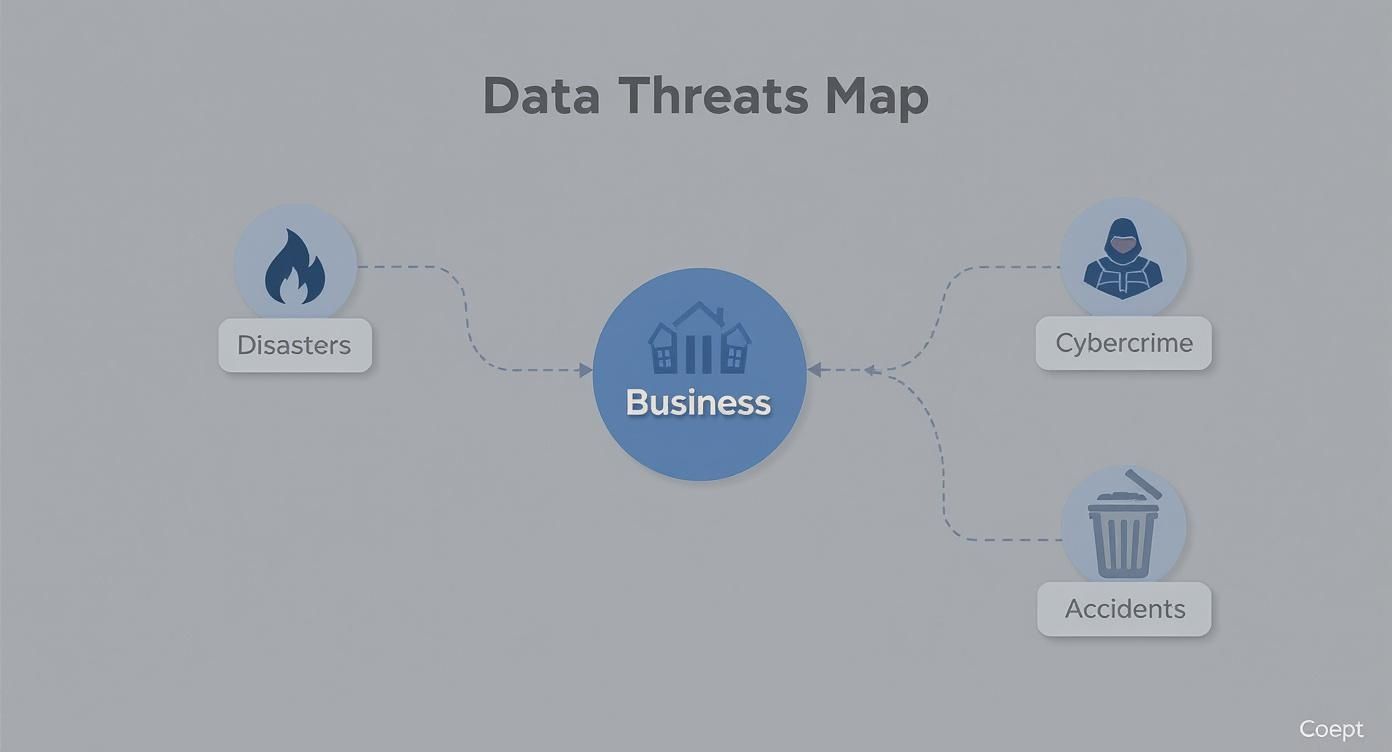
As you can see, threats come from all angles—from external attacks and physical disasters to simple human error—reinforcing why you need a robust, multi-layered defence.
To make it easier to see what to look for, here’s a quick comparison of the essential features that set a professional service apart.
Key Features of a Business-Grade Cloud Backup Service
| Feature | Why It Matters for Your Business | How Backup.co.nz Delivers |
|---|---|---|
| Automated Scheduling | Ensures backups happen consistently without manual intervention, eliminating human error. | Our service runs quietly in the background on a schedule you set, protecting data without disrupting your workflow. |
| File Versioning | Allows you to restore previous versions of files, protecting against accidental overwrites, corruption, or ransomware. | We keep multiple historical versions of your files, so you can easily “go back in time” to recover what you need. |
| End-to-End Encryption | Secures your data before it leaves your device and keeps it encrypted in transit and at rest. Only you have the key. | We use military-grade encryption to ensure your data is completely private and secure from unauthorised access. |
| NZ-Based Support | When things go wrong, you need fast, effective help from experts who understand the local business context. | Our Christchurch-based team is just a phone call away, providing expert support when you need it most. |
Ultimately, a business-grade solution isn’t just about storage; it’s about having a robust, reliable system with the right features to keep your operations running.
The Backup Reality for NZ SMEs
The need for solid protection isn’t just a hypothetical scenario; it’s a stark reality for Kiwi businesses. A concerning number of small and medium-sized enterprises are leaving themselves wide open to disaster.
Research shows that over a third (35%) of small NZ businesses hadn’t backed up their data in the last month, and a shocking 12% have no backup system at all. Even more alarmingly, less than 30% of businesses regularly test their backups. That can lead to a very nasty surprise when they urgently need to recover data only to find out it’s impossible.
Investing in a professional cloud backup service isn’t just buying storage space. It’s investing in automated processes, version history, and bulletproof security. It’s about ensuring your business can survive and thrive, no matter what comes its way.
At Backup.co.nz, we are a Christchurch-based company providing nationwide backup and security services that include all these critical features. We make getting started simple and straightforward.
You can try our service completely risk-free with a 14-day trial. Our plans are designed specifically for Kiwi businesses of all sizes, with clear, upfront pricing:
- Business 10: $30 dollars per month
- Business 20: $50 dollars per month
- Business 50: $100 dollars per month
- Business 100: $150 dollars per month
Ready to secure your business’s future? Start your trial today and get true peace of mind.
The Benefits Beyond Just Disaster Recovery
When you hear “backup,” your mind probably jumps straight to disaster scenarios—an earthquake, a fire, or a nasty cyberattack. But thinking of modern cloud backup as just an insurance policy for the worst-case scenario is missing the bigger picture.
A proper backup service is a powerful asset that delivers real operational advantages every single day. It’s less of a defensive cost and more of a springboard for efficiency, flexibility, and growth.
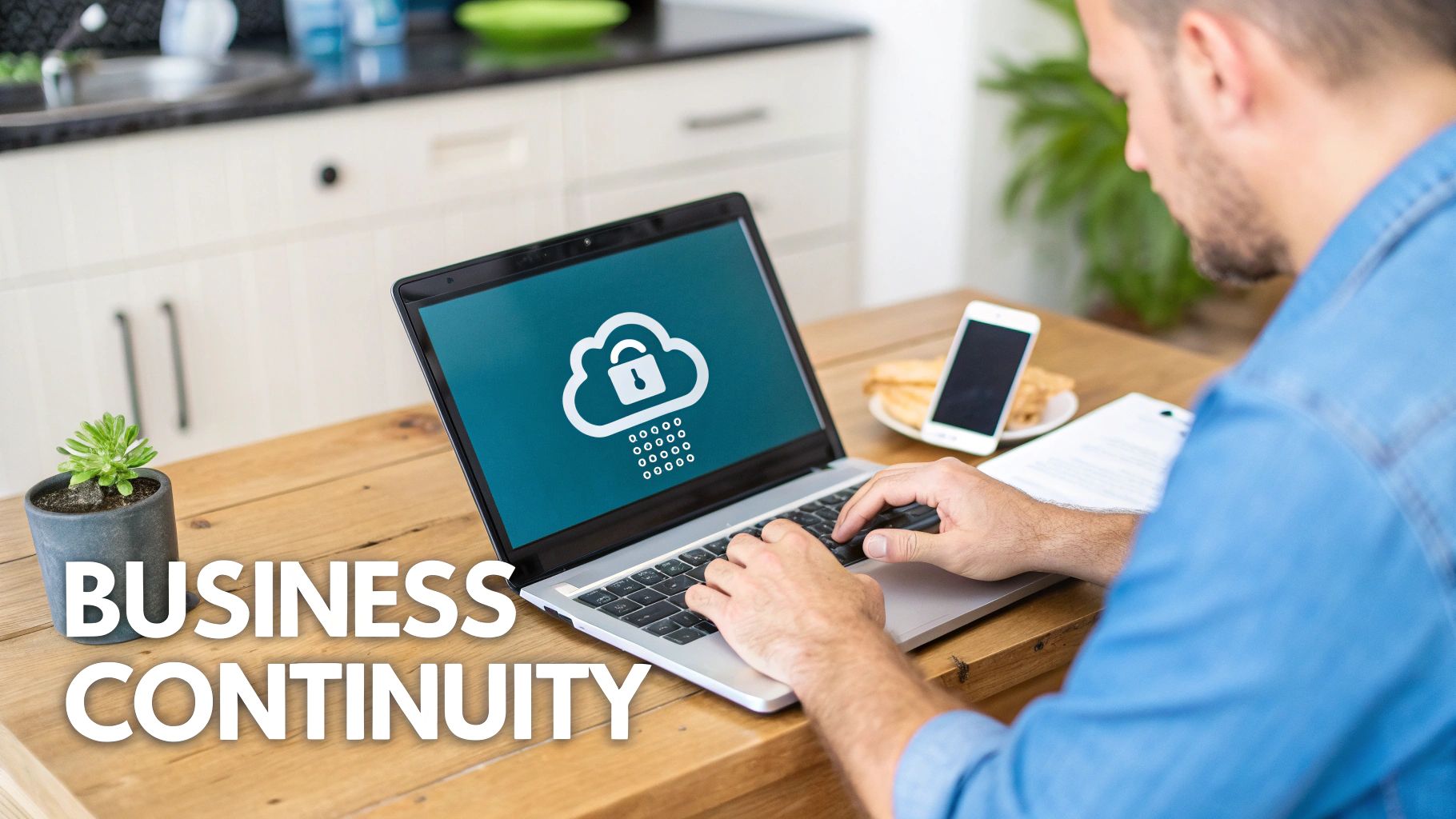
One of the most immediate perks is a massive boost to your operational flexibility. The way Kiwis work has changed for good. Remote and hybrid teams are the norm, not the exception.
Cloud backup is what makes this modern workforce tick. It gives your team secure, on-demand access to essential files from anywhere in New Zealand. It doesn’t matter if they’re in the Auckland office, working from a home setup in Wellington, or out visiting clients. You’re no longer tied to a single, physical office network, so business keeps moving, no matter where your people are.
Fuel Your Growth, Ditch the Hardware Headaches
As your business grows, your data explodes. The old-school approach meant constantly buying, installing, and managing new servers and drives—a costly and frustrating cycle. Cloud backup gets rid of all that. It offers effortless scalability that grows right alongside you.
Imagine landing a huge project or hiring a new team. With a service like ours, you don’t waste a second worrying about running out of server space. We can adjust your backup capacity on the fly, so you only ever pay for what you actually need.
Cloud backup turns data protection from a large, upfront capital expense into a predictable, scalable operational expense. This simple shift frees up cash you can reinvest into what really matters—growing your business.
This model isn’t just more cost-effective; it’s also future-proof. You’ll never have to worry about your backup hardware becoming obsolete because the cloud provider handles all the maintenance and upgrades behind the scenes.
Simplify Your Compliance Obligations
For many Kiwi industries—from law and finance to healthcare—data retention isn’t just a good idea; it’s the law. Navigating compliance under New Zealand’s Privacy Act can get complicated, especially when it comes to keeping secure, off-site copies of sensitive information.
A professional cloud backup service takes the complexity out of the equation. It automatically creates secure, encrypted copies of your data and stores them in off-site data centres, making it easy to meet your regulatory duties.
Here’s how it helps:
- Secure Off-site Storage: Ticks the box for a core disaster recovery principle by ensuring a copy of your data is physically separate from your office.
- Data Encryption: Protects sensitive client and business information from unauthorised access, both while it’s being transferred and while it’s stored.
- Version History: Lets you keep multiple versions of files for specific periods, helping you meet industry-specific data retention policies with ease.
By partnering with a Christchurch-based provider that serves businesses nationwide, you get the assurance that your data is managed under local regulations. That’s peace of mind for you and your clients.
A Smart Investment in Business Continuity
At the end of the day, a quality cloud backup service is an investment in keeping your business running, no matter what. It ensures that everything from an accidental file deletion to a major system failure is just a manageable hiccup, not a catastrophe.
We’ve built our plans to make this continuity affordable. The Business 10 plan starts at just $30 dollars per month, with other tiers like Business 20 ($50 dollars per month), Business 50 ($100 dollars per month), and Business 100 ($150 dollars per month) designed to scale with your needs.
Ready to see how it could work for you? You can explore our solutions risk-free by starting a 14-day trial today.
Understanding Data Sovereignty and Security in NZ
When you’re looking at cloud backup for your business, there’s one question that often gets missed, but it’s arguably the most critical: where in the world is your data actually stored? The physical location of the servers holding your sensitive business information matters. A lot. Especially for Kiwi companies.
This all comes down to a concept called data sovereignty—the simple idea that your digital data is subject to the laws and regulations of the country where it’s physically located. If your business data is backed up to servers in another country, it falls under their rules. This could expose it to foreign laws, surveillance, and privacy standards that might not line up with New Zealand’s.
Why Local Data Storage Matters
For any New Zealand business, keeping your data within our borders provides a powerful layer of legal and security assurance. When your data is stored on servers right here in Aotearoa, it’s unequivocally protected by the New Zealand Privacy Act. This is the key legislation that governs how your information—and your clients’ information—is collected, handled, and kept safe.
Partnering with a local provider cuts out the legal grey areas that crop up with international data storage. You can have complete confidence that your data management is fully compliant with the standards Kiwis expect and the laws they operate under. It simplifies everything and gives you, your team, and your customers invaluable peace of mind. Our guide on why it’s crucial that NZ data is held in New Zealand dives deeper into this topic.
By choosing a provider with data centres in New Zealand, you’re not just buying storage; you’re investing in legal certainty and regulatory alignment. You ensure your most valuable asset—your data—remains protected under the same laws that govern the rest of your business.
This local-first approach is quickly becoming the standard. In fact, dealing with regulations and managing risk are now major drivers for businesses moving to the cloud in this country. A recent analysis found that 53% of New Zealand companies are now required to keep data copies in separate cloud environments just to meet complex regulations and improve their resilience.
The Pillars of Robust Cloud Security
Beyond legal jurisdiction, the technical security measures a provider uses are non-negotiable. Storing data locally is a great first step, but it must be backed by a fortress of digital protection. To properly secure your business’s sensitive information in the cloud, you need a solid grasp of modern cloud data security.
Any top-tier cloud backup service for business should have several key security features nailed down:
- End-to-End Encryption: This is the gold standard. Your data is scrambled into unreadable code before it even leaves your office, it stays scrambled during transfer, and it remains that way while stored on the servers. Only you hold the decryption key.
- Secure Data Centres: The physical security of the server location is just as important as the digital kind. Think 24/7 monitoring, restricted biometric access, and backup power and cooling systems to ensure constant uptime and protection from physical threats.
- Proactive Threat Detection: A modern backup solution does more than just sit on your files. It should actively scan for threats like ransomware and malware, making sure the data you’re backing up is clean and that you aren’t accidentally saving a malicious file to restore later.
Here at Backup.co.nz, we’re a Christchurch-based company dedicated to providing nationwide backup and security for Kiwi businesses. Our secure data centres are located right here in New Zealand, ensuring your data sovereignty is always respected. We combine this local promise with military-grade encryption and advanced security protocols to give you comprehensive protection.
This commitment to local, secure storage is built into all our plans, from our Business 10 plan at $30 dollars per month up to our Business 100 plan at $150 dollars per month. To experience this peace of mind firsthand, you can start a completely free 14-day trial today.
How to Choose the Right Plan for Your Business
Okay, so you understand what cloud backup is and why it’s important. Now for the practical part: choosing a plan that actually fits your business without breaking the budget.
Getting this right isn’t complicated. It’s simply about matching a solution to what you do every day—the amount of data you create and the files you can’t afford to lose. Every Kiwi business is different, so the first step is to take a quick look at your own operations.
A small law firm in Wellington, for example, is probably most concerned about securing critical documents, client emails, and sensitive case files. Their data footprint might be relatively small, making a starter plan a perfect, cost-effective fit. On the other hand, a busy marketing agency in Auckland producing huge video files and high-res design work will need a much more substantial plan to cover their valuable creative assets.
Matching Your Business to the Right Backup Plan
The best way to start is by getting a clear picture of your data. How much do you have right now, and how fast is it growing? Think about the files you and your team work with daily. Are they mostly small text documents, or are you dealing with multi-gigabyte project files? Answering these questions will quickly point you toward the most suitable plan.
For a lot of Kiwi businesses, overspending on cloud services is a genuine concern. With New Zealand’s public cloud spending projected to hit NZ$5.1 billion by 2026, the risk of wasted money is growing right alongside it. In fact, industry analysis shows that up to 35% of cloud costs can be wasted on oversized or poorly configured resources. That’s why getting your backup plan right-sized from the start is so crucial. You can dive deeper into the latest numbers in this breakdown of key cloud trends for NZ IT leaders.
At Backup.co.nz, we’ve designed our plans to offer straightforward value for different types of New Zealand businesses.
Here’s a quick look at how our plans are structured to help you find the perfect fit for your business size and data needs.
Backup.co.nz Plans at a Glance
| Plan Name | Monthly Price (NZD) | Best Suited For |
|---|---|---|
| Business 10 | $30 | Small businesses or sole traders with essential documents, spreadsheets, and email backups. |
| Business 20 | $50 | Growing businesses with a moderate amount of data, including customer databases and project files. |
| Business 50 | $100 | Established SMEs, professional firms, or creative teams with larger data sets like photo libraries. |
| Business 100 | $150 | Data-intensive businesses, such as design agencies or IT departments, needing significant storage. |
Each plan gives you the exact same high-level security and nationwide coverage from our Christchurch-based company. The only thing that changes is the amount of storage, which lets you scale up easily as your business grows.
The goal isn’t just to buy backup space; it’s to invest in the right amount of protection. By accurately assessing your needs, you ensure your critical data is secure while keeping your operational costs lean and efficient.
Take the Next Step with Confidence
Feeling good about your choice is a big deal. That’s why we make it easy to see our service in action, with no commitment whatsoever. You can check out exactly how our platform works and confirm which plan is the right fit for your day-to-day operations.
Ready to get your business protected? You can start a completely free, no-obligation 14-day trial today. It’s the simplest way to take control of your data security and get some genuine peace of mind.
Getting Started With Your Cloud Backup Setup
Taking that first step to properly secure your business data can feel like a massive job, but modern cloud backup solutions are designed to be incredibly straightforward. Gone are the days of needing a dedicated IT expert just to get things up and running. Today, you can have a robust, automated backup system protecting your business in literally a matter of minutes.
The whole process is simple, user-friendly, and built for busy Kiwi business owners who just need something that works. Let’s walk through how quickly you can go from being unprotected to having complete peace of mind, knowing every critical file is safe and sound.

A Simple Four-Step Process to Protection
Setting up your business cloud backup is a quick, four-step journey. We’ve designed our Christchurch-based service to be intuitive from the ground up, making sure nationwide protection is genuinely accessible to everyone.
- Choose Your Plan and Start Your Trial: First up, pick a plan that fits the scale of your business. We have a few options, from Business 10 for $30 dollars per month to Business 100 for $150 dollars per month. The best way to start is with our no-obligation, 14-day trial to see it all in action.
- Download and Install the Software: Once you’ve signed up, you’ll get a link to download our lightweight, secure software. The installation is quick and guides you through each step, getting you ready in just a few clicks. No fuss.
- Select Your Critical Data: This is where you tell the software what matters most. You can easily select specific folders like ‘Client Documents,’ ‘Financial Records,’ or even your entire system. For a more detailed walkthrough, check out our guide to create a backup plan and select your files for protection.
- Set Your Automated Schedule: Finally, you decide when your backups happen. The best approach is to schedule them to run automatically overnight, so there is zero impact on your team’s productivity during the day. Set it once, and the system takes care of the rest.
And that’s it. In less time than it takes to grab a coffee, you can have a professional-grade, automated backup system working silently in the background to secure your business’s future.
This simple setup process puts you in control of your data security without any technical headaches. By showing just how quickly you can get protected, we want to make it clear there’s no good reason to put it off. Your business is far too important to leave vulnerable.
Ready to secure your operations? Begin your free 14-day trial now and experience just how easy it is to achieve true peace of mind.
Got Questions? We’ve Got Answers
Thinking about cloud backup for your business? It’s smart to have a few questions. Getting straight answers is the first step to making a confident decision and protecting what you’ve built. We’ve pulled together some of the most common queries we hear from Kiwi business owners just like you.
Is Cloud Backup Really Secure for My Sensitive Business Data?
Absolutely. Any reputable New Zealand provider worth their salt uses advanced security measures like end-to-end encryption. Think of it like this: your data gets scrambled into unreadable code before it even leaves your devices, and it stays that way on our secure servers. You’re the only one who holds the key to unscramble it.
Frankly, this is often far more secure than an on-site server or an external hard drive sitting in the office. Those are vulnerable to everything from theft and fire to a localised disaster like a flood.
How Much of My Internet Bandwidth Will This Use Up?
Not as much as you might think. Modern backup software is built to be efficient and light on your resources. After the very first full backup, the service only sends the small, incremental changes—that is, just the bits and pieces of files that have been updated.
Our service also lets you schedule backups to run during off-peak hours, like overnight, so there’s zero impact on your team’s workday. And for total control, you can even throttle the bandwidth usage yourself if you ever need to.
What Happens if I Actually Need to Restore My Data?
We’ve designed the restore process to be as simple and stress-free as possible. You just log into a secure web portal or use the desktop app to browse all your backed-up files and folders.
From there, you can cherry-pick specific files, entire folders, or even a whole system to recover. And because we’re a Christchurch-based company, our support team is right here, nationwide, to walk you through it if you ever need a hand.
Can I Access My Backed-Up Files From Anywhere?
Yes, and this is one of the biggest advantages of a proper cloud backup for business. So long as you have an internet connection, you can securely get to your backed-up files from any authorised computer.
This is incredibly handy for remote work, supporting staff on business travel, or when you just need to grab a critical file while you’re at home. It offers a level of operational flexibility that older, local-only backup methods simply can’t compete with.
Ready to secure your business with a local, trusted provider? Backup NZ offers straightforward, powerful protection designed for Kiwi businesses. Start your free, no-obligation 14-day trial today and experience true peace of mind.