

In today's economy, your data isn't just important—it's the lifeblood of your business. For any New Zealand organisation, from a Christchurch-based start-up to an Auckland enterprise, a single data breach can lead to devastating financial loss, reputational damage, and regulatory headaches. The constant threat of cyber-attacks, insider risks, and simple human error makes robust security more critical than ever. But where do you start?
This guide demystifies the process by breaking down the 10 most effective data loss prevention techniques your business needs to implement. We move beyond generic advice to provide actionable steps tailored for the unique NZ landscape, helping you build a comprehensive defence to keep sensitive information safe. Whether you're a law firm protecting client confidentiality or a marketing agency safeguarding campaign data, these strategies are essential for securing your digital assets. We will explore everything from endpoint protection and network security to user training and encryption, giving you a clear roadmap.
At Backup, a Christchurch-based nationwide provider of backup and security, we understand these challenges intimately. That's why we've designed straightforward, powerful security and backup solutions. You can explore our plans, like Business 10 for just $30 per month, Business 20 for $50 per month, Business 50 for $100 per month, or Business 100 for $150 per month. Start a no-obligation 14-day trial today and take the first step towards ironclad data protection.
1. Build Your Foundation with Data Classification and Labelling
Before you can protect your data, you must first understand what you have. Data classification is a foundational data loss prevention technique that involves systematically identifying and categorising your information based on its sensitivity. This process ensures you apply the right level of security to the right data, preventing both over-protection of trivial files and under-protection of critical assets.
By assigning labels like 'Public', 'Internal', 'Confidential', or 'Restricted', you create a clear framework for your security policies. For instance, data labelled 'Confidential', such as client financial records or healthcare information, can be automatically encrypted or blocked from being emailed outside your network. This is especially crucial for New Zealand businesses needing to comply with the Privacy Act 2020, which mandates reasonable security safeguards for personal information.
How to Implement Data Classification
- Start with a Simple Schema: Begin with three or four clear levels. Over-complicating the system early on can hinder adoption. You can always add more granular categories later.
- Automate Where Possible: Use tools like Microsoft Information Protection (MIP) to automatically scan and tag documents based on keywords, patterns (like IRD numbers), or content analysis. This reduces the burden on your staff.
- Train Your Team: Your employees are on the front line. Provide regular training on what each classification level means and how to apply labels correctly. This builds a security-conscious culture.
- Review and Refine: Your data landscape changes constantly. Review your classification policy at least annually to ensure it still aligns with business needs and regulatory requirements.
2. Secure Your Devices with Endpoint Data Loss Prevention (Endpoint DLP)
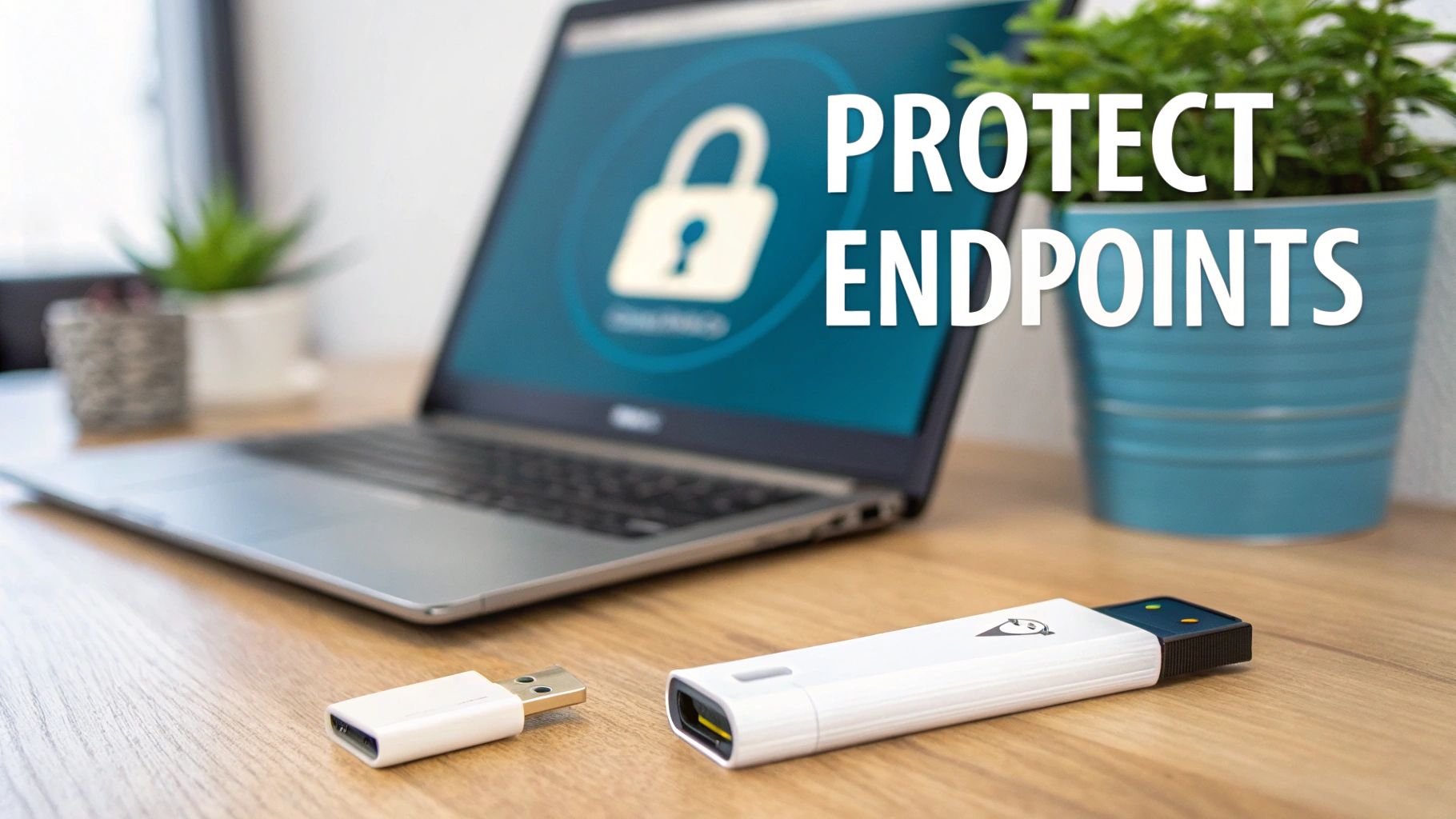
While network security is vital, your greatest vulnerability often lies at the endpoint: the laptops, desktops, and mobile devices your team uses daily. Endpoint Data Loss Prevention (DLP) is a critical technique that focuses on securing these devices directly. It uses software agents to monitor, detect, and block the unauthorised transfer of sensitive information, effectively creating a last line of defence against data breaches.
This approach is crucial for preventing data exfiltration through common channels like USB drives, personal cloud storage, or even copy-pasting into unauthorised applications. For a New Zealand law firm, this could mean preventing a legal clerk from accidentally saving confidential case files to a personal USB stick. For an accounting firm, it ensures client financial data isn't uploaded to an unsanctioned cloud service, helping maintain compliance with professional standards and the Privacy Act 2020.
How to Implement Endpoint DLP
- Start in Monitoring Mode: Before enforcing strict blocking rules, deploy the DLP agent in a 'monitor-only' mode. This allows you to understand how data typically flows within your organisation and identify potential false positives without disrupting business operations.
- Implement Role-Based Policies: Avoid a one-size-fits-all approach. Your sales team will have different data access needs than your finance department. Tailor policies to specific roles to ensure security is robust yet practical.
- Integrate with Your SIEM: Send Endpoint DLP logs to your Security Information and Event Management (SIEM) system. This centralises visibility, allowing your security team to correlate endpoint alerts with other network events for a more comprehensive view of potential threats.
- Review and Tune Regularly: Your business and the threats it faces are constantly evolving. Regularly review incident logs to fine-tune detection rules, reduce false positives, and adapt your policies to new data handling workflows.
3. Implement Network-Based Data Loss Prevention (Network DLP)
While endpoint security protects individual devices, Network DLP acts as a crucial gatekeeper for your entire network perimeter. This data loss prevention technique involves solutions deployed at network egress points like firewalls and gateways to inspect all data in transit. It monitors outbound traffic to detect and block unauthorised data transfers through email, web uploads, FTP, and other protocols, acting as your digital border control.
For New Zealand businesses, especially those in professional services like law or accounting, Network DLP is essential for preventing sensitive client information from leaving the network without authorisation. For instance, a policy could block any email containing an IRD number or client trust account details from being sent to an external, unverified recipient. This provides a powerful layer of defence against both accidental leaks and malicious exfiltration attempts, safeguarding your reputation and ensuring compliance.
How to Implement Network DLP
- Deploy at Key Egress Points: Install DLP solutions at your primary internet gateways, including email servers and web proxies, to ensure comprehensive coverage of outbound data streams.
- Enable SSL/TLS Inspection: Much of today's web traffic is encrypted. You must implement SSL/TLS inspection (decryption and re-encryption) to allow your DLP tools to analyse the content of this traffic for sensitive information.
- Create Policy-Based Rules: Define specific rules based on your data classification schema. For example, block files labelled 'Confidential' from being uploaded to public cloud storage sites or sent via personal webmail accounts.
- Monitor and Tune Continuously: Regularly review DLP logs to identify potential policy violations and false positives. Tuning your rules is vital to minimise disruption to legitimate business processes while maintaining robust security.
4. Encrypt and Tokenise Sensitive Information
Encryption is a powerful data loss prevention technique that transforms sensitive data into an unreadable format, known as ciphertext. Only authorised users with the correct decryption key can access the original information. This protects data wherever it resides: at rest on a server, in transit across a network, or even while in use. Tokenisation takes a different approach, replacing sensitive data like credit card numbers with a unique, non-sensitive equivalent called a token, drastically reducing the value of the data if stolen.

For New Zealand businesses, robust encryption is not just a best practice; it is a core component of complying with the Privacy Act 2020. Encrypting client files, financial records, and employee details ensures that even if a device is lost or a server is breached, the underlying information remains secure and inaccessible to unauthorised parties. For example, a law firm can use full-disk encryption like BitLocker to protect all client case files on a laptop, rendering them useless if the device is stolen.
How to Implement Encryption and Tokenisation
- Protect Data Everywhere: Use full-disk encryption on all company laptops (e.g., FileVault for macOS) and servers. Implement Transport Layer Security (TLS) for data in transit and consider database-level encryption for critical information at rest.
- Establish Strong Key Management: Your encryption is only as strong as your key management. Use a secure system to generate, store, distribute, and rotate cryptographic keys. Avoid storing keys alongside the encrypted data.
- Prioritise Performance: Modern encryption has minimal performance impact, but it's important to test. Apply encryption strategically to sensitive data first to balance security needs with system resources.
- Test Your Recovery Process: Regularly test your ability to decrypt data from your backups. This ensures that in a real emergency, you can restore critical information without issue, maintaining business continuity.
5. User Behaviour Analytics and Anomaly Detection
One of the most sophisticated data loss prevention techniques involves looking beyond static rules and focusing on user behaviour. User and Entity Behaviour Analytics (UEBA) systems use machine learning to establish a baseline of normal activity for each user and device on your network. When behaviour deviates from this established pattern, such as an accountant suddenly accessing hundreds of sensitive client files after hours, the system flags it as a potential threat.
This proactive approach is crucial for catching insider threats or compromised accounts that traditional security might miss. For instance, if an employee’s credentials are stolen, a UEBA system can detect the anomaly when the attacker starts accessing unusual data or attempting to exfiltrate files, even if they are using a legitimate login. It moves your defence from a reactive posture to a predictive one, identifying risks before a major breach occurs.
How to Implement User Behaviour Analytics
- Establish a Clear Baseline: Begin by allowing the UEBA tool to analyse several weeks of historical log data. This helps it build an accurate model of what constitutes normal behaviour for your organisation.
- Focus on High-Value Assets: Initially, concentrate monitoring efforts on users with access to your most sensitive data, like financial records or client databases, and the servers where this information is stored.
- Integrate with Your Security Stack: Connect your UEBA platform with your existing security information and event management (SIEM) and incident response systems to automate alerts and streamline investigations.
- Refine and Provide Feedback: Regularly review the anomalies detected by the system. Providing feedback on which alerts are genuine threats and which are false positives will continuously improve the machine learning model's accuracy. This human oversight complements the technology and strengthens your overall security framework, an element often covered in effective cybersecurity awareness training.
6. Data Loss Prevention for Cloud Applications (Cloud DLP)
As New Zealand businesses increasingly adopt cloud services like Microsoft 365, Salesforce, and Google Workspace, the risk of data leakage extends beyond your traditional network perimeter. Cloud Data Loss Prevention (DLP) is a specialised technique designed to monitor, control, and secure sensitive information within these SaaS applications and cloud storage platforms. It provides the visibility needed to enforce your data protection policies consistently, regardless of where your data resides.
Effective cloud DLP prevents unauthorised sharing of files from services like OneDrive or detects large-scale data exfiltration from your CRM. It works by integrating with cloud application APIs to analyse data in transit and at rest, flagging or blocking activities that violate your security rules. To effectively extend protection to the cloud, robust Cloud Security Posture Management is essential for maintaining control over your data. It is a critical layer for organisations wanting to harness the cloud's benefits without sacrificing data security.
How to Implement Cloud DLP
- Deploy a CASB Solution: Use a Cloud Access Security Broker (CASB) like Microsoft Defender for Cloud Apps to act as a gatekeeper between your users and cloud services. This provides a central point of control for monitoring activity and enforcing policies.
- Inventory Your Cloud Apps: You can't protect what you don't know exists. Use discovery tools to identify all sanctioned and unsanctioned ("shadow IT") cloud applications being used by your team.
- Enforce Strong Authentication: Implement multi-factor authentication (MFA) across all cloud services to ensure only authorised users can access sensitive data, a simple yet powerful security measure.
- Configure Granular Policies: Set up specific rules for risky activities. For example, create an alert for when an employee downloads an unusual number of client files from your cloud storage or attempts to share a 'Confidential' document with an external email address. Ensuring your cloud data is secure is just one piece of the puzzle; understanding cloud backup solutions for your business is equally important for a comprehensive data protection strategy.
7. Access Control and Privilege Management
Not every employee needs access to all your company data. Access control and privilege management is a core data loss prevention technique that operates on the principle of least privilege: giving users only the access they absolutely need to perform their jobs. This dramatically reduces your attack surface, as a compromised user account can only damage a limited subset of your data.
By implementing frameworks like Role-Based Access Control (RBAC), you ensure that a junior accountant can’t access sensitive HR files, and a marketing intern can’t modify critical source code. For New Zealand businesses, this is vital for upholding the information privacy principles of the Privacy Act 2020, as it demonstrates a clear, organised effort to safeguard personal information from unauthorised access or disclosure. Strong access controls prevent both accidental and malicious data loss from within.
How to Implement Access Control
- Adopt a Zero Trust Mindset: Never trust, always verify. Treat every access request as if it originates from an untrusted network. This means verifying user identity and device health before granting access, every single time.
- Conduct Regular Access Reviews: At least quarterly, review who has access to what. Remove permissions for employees who have changed roles or left the company. This prevents “privilege creep” where access rights accumulate over time.
- Implement Privileged Access Management (PAM): Use specialised tools like CyberArk to tightly control, monitor, and audit administrative or "super-user" accounts. These high-privilege accounts are a primary target for attackers.
- Enforce Multi-Factor Authentication (MFA): Make MFA mandatory for all users, especially for those with privileged access. This adds a critical layer of security that protects against compromised passwords.
8. Establish Data Retention and Secure Deletion Policies
One of the most overlooked data loss prevention techniques is simply not keeping data you no longer need. A robust data retention policy systematically defines how long information must be kept and how it should be securely destroyed afterwards. This minimises your attack surface, reduces storage costs, and ensures you are not holding onto data that has become a liability rather than an asset.
For New Zealand businesses, this is a key part of complying with the Privacy Act 2020, which states personal information should not be kept for longer than is required for the purposes for which it may be lawfully used. For example, a law firm might need to retain client files for seven years after a case closes, but marketing data from a one-off event could be scheduled for deletion after just one year. Having a formal policy removes guesswork and ensures consistent, compliant data lifecycle management.
How to Implement Retention and Deletion Policies
- Define Retention Periods: Classify your data based on legal, regulatory, and business requirements. For example, IRD requires you to keep business records for at least seven years. Our guide on record storage in NZ can help you navigate these requirements.
- Automate the Process: Use your systems to automatically flag or delete data once its retention period expires. This is far more reliable than manual clean-up and reduces administrative overhead.
- Securely Delete Data: Simply deleting a file often isn’t enough. Implement secure data wiping for digital files. For the highest assurance of data destruction on physical media, explore advanced secure hard drive shredding techniques.
- Document Everything: Maintain a clear audit trail of what data was destroyed, when, and by whom. This documentation is vital for demonstrating compliance during an audit.
9. Secure Email and Communication Channels
Email and other communication platforms like Teams or Slack are primary channels for both legitimate business and accidental data leakage. Securing these channels is a critical data loss prevention technique that involves monitoring, controlling, and encrypting sensitive information as it is transmitted. By implementing robust policies, you can prevent confidential data from being inadvertently or maliciously sent outside your organisation’s secure perimeter.
These solutions work by inspecting outbound communications for sensitive content defined by your data classification policies. For example, if an employee attempts to email a spreadsheet containing client IRD numbers to a personal Gmail account, the system can automatically block the email, encrypt it, or notify an administrator. This is vital for New Zealand law and accounting firms needing to protect client-attorney privilege or sensitive financial data, ensuring compliance with professional conduct rules and the Privacy Act 2020.
How to Implement Communication Security
- Deploy Automated Warnings: Configure systems like Microsoft Defender for Office 365 to display a warning banner when an employee tries to send sensitive information to an external recipient. This simple step makes users pause and confirm their actions.
- Establish Attachment Policies: Use secure file-sharing alternatives for large or sensitive files instead of email attachments. Set rules to block certain file types or sizes from being sent via email.
- Monitor All Channels: Don’t just focus on email. Extend your DLP policies to cover instant messaging platforms like Slack and Microsoft Teams, as these are increasingly used for sharing business-critical information.
- Integrate and Train: Ensure your email security solution is integrated with your broader DLP strategy. Provide regular training for your team on identifying phishing attempts and understanding what constitutes sensitive data that should not be shared insecurely.
10. Enforce Data Residency and Geographic Compliance
Where your data lives is just as important as how it's protected. Data residency involves implementing technical and organisational controls to ensure sensitive information remains within specific geographic boundaries. This is not just a best practice; it is a critical component of data loss prevention techniques, especially for businesses operating internationally or handling data subject to strict sovereignty laws.
Keeping data within a required jurisdiction, such as New Zealand, prevents it from falling under foreign laws or being accessed by unauthorised overseas entities. For New Zealand firms handling Australian client data, for example, this means ensuring that information stays within approved regions to comply with Australia's Privacy Act. Similarly, using cloud services like Microsoft Azure or AWS with designated regions in Australia helps meet these obligations while preventing accidental data exfiltration to non-compliant territories.
How to Implement Data Residency
- Map Your Data and Regulations: Identify what data you hold, where it comes from, and which regulations apply (e.g., GDPR for EU clients, CCPA for Californians). Document these requirements clearly.
- Utilise Regional Cloud Services: Choose cloud providers that offer specific regions, such as data centres in Australia. Configure your services to deploy and store data exclusively within these compliant zones.
- Implement Geofencing Controls: Use network and application-level controls to restrict data access and transfers based on the user's geographic location, blocking attempts from unauthorised regions.
- Audit and Monitor Continuously: Regularly audit your data flows and storage locations to verify compliance. Automated tools can help monitor for any policy violations and alert you immediately.
Data Loss Prevention Techniques — 10-Point Comparison
| Technique | Implementation complexity | Resource requirements | Expected outcomes | Ideal use cases | Key advantages |
|---|---|---|---|---|---|
| Data Classification and Labelling | High initial setup, moderate ongoing maintenance | Data governance team, classification tools, user training | Clear sensitivity labels, targeted protections, improved audits | Organisation-wide DLP foundation, compliance-heavy environments | Enables policy-based controls, reduces false positives, improves awareness |
| Endpoint Data Loss Prevention (Endpoint DLP) | Medium–high (agent deployment, policy tuning) | Endpoint agents, licensing, monitoring staff, update processes | Prevents exfiltration at source, detailed audit trails | Protecting laptops/desktops, high-risk users, removable media control | Source-level enforcement across channels, forensic visibility |
| Network-Based Data Loss Prevention (Network DLP) | Medium (network appliances, DPI, possible infra changes) | Network appliances/proxies, tuning, SSL inspection capability | Centralised blocking of outbound data, perimeter enforcement | Perimeter monitoring, legacy systems, large distributed networks | Org-wide visibility without agents, centralised policy management |
| Encryption and Tokenisation | High (cryptography integration, key management) | KMS/HSM, crypto expertise, compute overhead | Data unreadable if stolen, reduced breach impact and liability | Protecting databases, storage, regulated data (PCI/HIPAA) | Strong protection, regulatory compliance, safe partner sharing |
| User Behaviour Analytics & Anomaly Detection | High (ML models, baseline training, integrations) | Historical data, compute/storage, security analysts | Detects insiders/compromised accounts, contextual alerts | Insider threat detection, compromised credential discovery, UEBA use | Finds anomalies rule-based systems miss; improves with data |
| Data Loss Prevention for Cloud Applications (Cloud DLP) | Medium–high (API/CASB integration, multi-platform tuning) | CASB/tools, cloud expertise, ongoing policy updates | Visibility/control of cloud data, prevention of cloud leaks | SaaS-first orgs, shadow IT discovery, remote/hybrid workforces | Cloud-native visibility, controls across services, reduces misconfigs |
| Access Control and Privilege Management | Medium–high (role modelling, PAM rollout) | IAM/PAM solutions, governance processes, admin overhead | Least-privilege enforcement, reduced exposure, audit trails | Protecting privileged accounts, regulatory access controls | Limits damage from compromised accounts, supports audits |
| Data Retention & Secure Deletion Policies | Medium (lifecycle automation, legal holds) | Retention tooling, legal coordination, audit processes | Fewer unnecessary records, compliance with retention rules | Regulatory compliance (GDPR, FINRA), reducing stored sensitive data | Minimises exposure, supports legal requirements, reduces costs |
| Email and Communication Security | Medium (gateway and app controls, encryption) | Secure email gateways, encryption keys, policy tuning | Reduced accidental/intentional leaks via communication channels | Organisations with heavy email/app communication (legal, healthcare) | Protects primary attack vector, controls attachments and external sharing |
| Data Residency & Geographic Compliance | High (regional infra, data flow constraints) | Regional deployments, legal/regulatory expertise, monitoring | Ensures data remains in required jurisdictions, reduces legal risk | Multinational firms, regulated citizen data, government sectors | Meets sovereignty laws, reduces cross-border liability, local governance |
Your Next Step: Building a Resilient Data Defence Strategy
Navigating the landscape of data loss prevention techniques can feel like a monumental task. We have explored a range of essential strategies, from the foundational importance of data classification and encryption to the proactive monitoring of user behaviour analytics and the critical need for robust endpoint protection. Each technique, whether it's network segmentation, access control, or secure data deletion, represents a vital layer in a comprehensive security framework. The overarching theme is clear: a reactive approach is no longer sufficient. Modern businesses in New Zealand, from law firms in Auckland to marketing agencies in Wellington, must adopt a proactive, multi-layered defence to protect their most valuable asset, their data.
However, implementing every single one of these measures simultaneously can be overwhelming. The key is to start with the most critical, foundational elements and build from there. Think of it not as a single project with a finish line, but as an ongoing cycle of assessment, implementation, and refinement. Your journey begins by understanding what data you have, where it lives, and who has access to it. This initial step informs all subsequent decisions, ensuring your efforts are targeted and effective.
Key Takeaways for Your Business
To move from theory to practice, focus on these core principles:
- Defence in Depth is Non-Negotiable: A single security tool is a single point of failure. The power of effective data loss prevention techniques comes from their combined strength. An encrypted file is secure, but an encrypted file protected by strict access controls and monitored by anomaly detection is significantly more resilient.
- Technology and People Must Work Together: You can implement the most advanced DLP software in the world, but it will be undermined if your team is not trained to recognise phishing attempts or understand their role in protecting sensitive information. Regular, engaging training transforms your staff from a potential liability into your first line of defence.
- The Foundation is Recovery: Despite your best efforts, incidents can still happen. A sophisticated cyber-attack, a critical hardware failure, or an accidental deletion can bypass even strong defences. This is why a reliable, automated, and secure backup system is not just another item on the list; it is the ultimate safety net that underpins every other security measure. It provides the assurance that, no matter what happens, your business can recover its data and continue to operate.
Building Your Resilient Future
The path to a mature data security posture is a marathon, not a sprint. Start by assessing your current vulnerabilities and prioritising the data loss prevention techniques that address your most significant risks. For many Kiwi businesses, this means securing a robust, offsite backup solution first. This single action provides immediate value and a powerful foundation upon which to build the rest of your security architecture. Protecting your data is not just an IT task; it is a core business function essential for maintaining client trust, ensuring regulatory compliance under New Zealand's Privacy Act, and guaranteeing long-term operational stability.
Ready to implement the most critical layer of your data defence? Backup NZ provides automated, secure, and sovereign backup solutions from our Christchurch base to businesses nationwide. Start building a truly resilient data protection strategy today.