
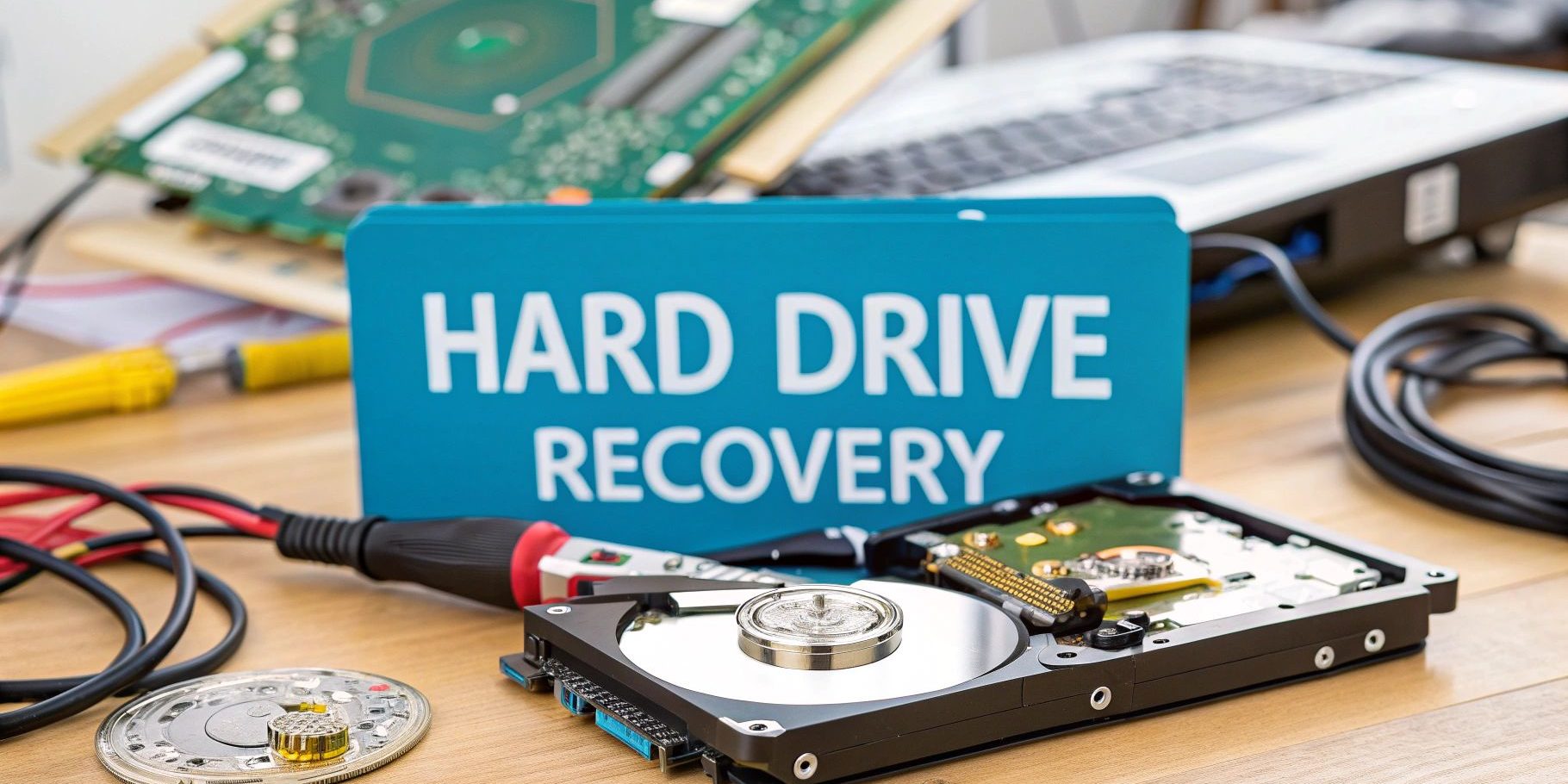
When your hard drive starts playing up, what you do in those first few moments can make all the difference. The process of getting your data back from a damaged or corrupted drive isn't just a technical fix; its success often comes down to your immediate actions.
For any Kiwi business, powering down the device at the first sign of trouble is the single most important step. It can turn a potential catastrophe into a manageable hiccup.
Your First Response to a Failing Hard Drive
That sickening click… the grinding noise… a sudden error message flashing across the screen. We've all felt that jolt of panic. In these crucial moments, your response can determine whether your data is recoverable or gone for good.
For professional firms across New Zealand—from a busy accounting practice in Christchurch to a creative agency in Wellington—every single file matters. Acting correctly isn't just about IT; it's about business continuity.
The number one rule is disarmingly simple: stop what you’re doing and switch off the device. You have to fight the instinct to reboot it again and again or to run a quick diagnostic tool. If the drive has a physical fault, like a damaged read/write head, keeping it running is like dragging a needle across a vinyl record. Every second it’s on could be scratching your data into oblivion.
Recognising the Warning Signs
Hard drives rarely just die without a whisper. They usually give off a few warning signs first, giving you a window to act before a complete failure.
Keep an ear and an eye out for these red flags:
- Strange Noises: Any clicking, grinding, or whirring is a dead giveaway of mechanical failure. This is a five-alarm fire. Power down immediately.
- Sluggish Performance: Is your computer taking an eternity to boot up? Are files taking forever to open or save? The drive could be struggling to read and write data.
- Frequent Errors and Crashes: If you’re getting constant error messages, corrupted files, or the dreaded "Blue Screen of Death," your drive is likely on its last legs.
- Disappearing Files: When files or entire folders seem to vanish, it might mean the drive is developing bad sectors. While sometimes it's a simple software issue (like when you need to figure out how to recover an unsaved Word document), it often points to a serious hardware problem.
The Immediate Do's and Don'ts
Your first reaction is everything. The wrong move can turn a recoverable situation into a permanent one. This is especially true after accidents like a liquid spill, where old myths can do more harm than good. It's worth understanding liquid damage myths for electronic devices to avoid making a bad situation worse.
The single biggest mistake we see is people continuing to use a failing drive, hoping the problem will just go away. It almost never does. This only makes the damage worse, increasing the complexity and the cost of a successful recovery.
To make it crystal clear, we've put together a simple table outlining the critical first steps versus the common pitfalls to avoid.
Immediate Actions for a Failing Hard Drive
| Do Immediately | Do Not Do |
|---|---|
| Power Down the Device – Unplug it completely to prevent any further damage. | Run Generic Repair Software – Tools like CHKDSK can overwrite recoverable data. |
| Do Not Panic – Take a breath and calmly think about how valuable the data is. | Attempt to Open the Drive – Opening it outside a professional cleanroom will destroy it. |
| Assess the Situation – Make a note of the symptoms (noises, errors) for a specialist. | Reboot Repeatedly – This puts enormous stress on failing mechanical parts. |
| Contact a Professional – If the data is critical, get expert advice straight away. | Freeze or Hit the Drive – These old tricks are myths. They cause more harm than good. |
Following these simple guidelines can dramatically improve the chances of getting your precious files back safe and sound.
Assessing the Damage: DIY vs. Professional Recovery
Once the device is off, you’ve hit a critical fork in the road. Your next decision—whether to try a Do-It-Yourself (DIY) recovery or call in the professionals—is one of the most important you'll make. Get it wrong, and a recoverable situation can quickly become a permanent catastrophe.
The right choice comes down to one thing: the type of failure you're dealing with. Hard drive problems fall into two very different camps: logical failures and physical failures. Knowing which is which is absolutely key to getting your data back.
Logical vs. Physical Hard Drive Failure
A logical failure is a software problem. The drive hardware is working perfectly, but for some non-physical reason, the data is out of reach. Think of things like an accidentally deleted folder, formatting the wrong drive (we’ve all been there), a virus scrambling your file system, or a corrupted operating system.
On the other hand, a physical failure means something mechanical or electronic inside the drive has actually broken. This is almost always the cause of those terrifying clicking, grinding, or whirring noises. It could be anything from a failed read/write head scratching the platters to a fried circuit board after a power surge. Physical damage is also what you’re dealing with if a drive has been dropped, left in a hot car, or gotten wet.
Here’s a simple rule of thumb: if the drive is making any strange noises or has taken a physical knock, stop. Power it down immediately. Don’t plug it in again, and don't even think about running any software on it. Your only safe bet is professional recovery.
This flowchart can help you visualise that initial diagnosis process.
The main takeaway here is that any sign of physical distress, especially noise, means you need to cut the power instantly to prevent the drive from literally destroying itself.
The DIY Software Route: Risks and Rewards
For purely logical failures, DIY data recovery software can seem like a tempting option. There are some decent tools out there that can scan a drive for traces of deleted files and help piece them back together. But this path is littered with potential disasters.
Let's imagine a scenario. A marketing agency in Auckland is deep into a major client campaign. An employee, in a moment of haste, formats an external hard drive holding all the project files. This is a classic logical failure. The data is still physically on the drive; the drive’s table of contents has just been erased.
In this instance, using a high-quality recovery programme could work. The software would methodically scan the drive, sector by sector, to reconstruct the lost files. But even here, the risks are very real:
- Overwriting Data: If you install the recovery software onto the same drive you're trying to recover, you could permanently overwrite the very files you need. A fatal, and common, mistake.
- Misdiagnosing the Problem: What if the accidental format wasn't the root cause? What if it was triggered by a failing drive head you didn't know about? Running recovery software could cause that wobbly head to crash, shredding your data for good.
- Incomplete Recovery: The software might find your files, but they come back corrupted or incomplete, leaving you with a folder full of useless assets.
When Professional Help is Non-Negotiable
Now for a different story. A Christchurch-based construction firm has a project manager’s laptop that took a tumble from the ute at a worksite. The laptop won't boot, and when you listen closely, the hard drive is making a faint, repetitive clicking sound.
This is an undeniable physical failure. Attempting to use software here would be the worst thing you could do. Every click is likely the sound of the read/write heads scraping away the delicate magnetic layer on the platters where your data lives.
This is precisely when you must call a professional data recovery service. They have specialised tools, but more importantly, they have a cleanroom environment—an ultra-filtered lab—that allows them to safely open the drive to repair or replace components without microscopic dust particles causing more damage.
Ultimately, it’s a simple risk assessment. If the data is just nice-to-have and you are 100% certain it’s a simple logical issue, a DIY attempt might be worth the gamble. But for any business, if that data is valuable, mission-critical, or if there's even the slightest hint of physical damage, the only sensible choice is to talk to a professional.
Choosing a New Zealand Data Recovery Service
When the DIY software can’t help, you’re left with a pretty nerve-wracking decision: handing over your business’s most valuable asset—its data—to someone else. Choosing the right professional hard drive recovery service isn't just a technical choice; it’s a matter of trust. This is especially true for drives that have taken a physical knock or contain mission-critical information where a specialist's touch is non-negotiable.
For any Kiwi business, the stakes are high. You need a partner who not only has the technical chops to get the job done but also genuinely understands the importance of confidentiality and security. This is where local New Zealand expertise really makes a difference.
Key Factors for Selecting a Recovery Expert
Let's be clear: not all recovery services are created equal. When you're vetting potential partners, there are a few non-negotiables they absolutely must meet to earn your business. Think of it as a checklist for your own peace of mind.
Your evaluation should zero in on these key areas:
- 'No Data, No Fee' Policy: This is the industry standard for a good reason. A reputable service should only send you a bill if they successfully recover the data you actually need. It shows they’re confident in their skills and protects you from paying for a failed attempt.
- Secure Cleanroom Facilities: If the drive needs physical repairs, a certified cleanroom is a must. These controlled spaces stop microscopic dust particles from getting inside your drive and causing irreversible damage to its delicate components.
- Rock-Solid Confidentiality Agreements: Your data is your business. Make sure the company has strict, legally binding non-disclosure agreements (NDAs) to protect your sensitive files and client info every step of the way.
- A Clear Quoting Process: The service should offer a free, no-obligation initial check-up and a detailed quote before any work begins. That kind of transparency helps you sidestep hidden fees and make an informed decision.
A professional data recovery process should never feel like a mystery. From the moment you hand over your drive, you should get clear communication about the diagnosis, the proposed fix, the cost, and how long it’s likely to take.
Here in New Zealand, the success rates among established local firms are impressively high. Specialist companies often report success rates of 90% or higher for typical hard drive recovery jobs. These numbers are exactly why Kiwi businesses are better off trusting local experts rather than risking shipping a damaged drive overseas. You can learn more about the success rates of NZ data recovery specialists to see how they stack up.
Understanding the Professional Process
Knowing what happens behind the lab doors can give you a lot more confidence in your investment. A professional hard drive recovery follows a meticulous, structured path designed to maximise the chances of getting your data back safely.
It generally unfolds in these stages:
- Initial Assessment: Technicians will diagnose the drive in a safe environment to figure out the exact cause of failure—whether it’s a logical error, a mechanical breakdown, or an electrical fault.
- Detailed Quotation: Based on that diagnosis, you'll receive a firm quote spelling out the cost and the scope of work. No surprises.
- Cleanroom Repair (if needed): For physical damage, specialists will open the drive in a cleanroom to repair or replace parts like read/write heads or motors, using components from a matching donor drive.
- Data Imaging: Once the drive is temporarily working again, they create a perfect sector-by-sector clone of it. All the actual recovery work is done on this clone to keep your original drive safe and untouched.
- Data Extraction and Verification: Specialised software is then used to reconstruct the file system and pull the data from the clone. They verify the recovered files for integrity before handing them back to you on a new, healthy drive.
This whole process really highlights the importance of having a solid plan for business continuity and disaster recovery, because even a successful recovery takes time.
The True Value of Prevention
While expert recovery services can be absolute lifesavers, they're a reactive fix to a problem that’s already happened. The best strategy is to make sure you never need them in the first place. This is where a proactive, automated backup plan becomes one of the smartest investments you can make for your business.
At Backup, we provide a reliable, nationwide backup and security service designed specifically for Kiwi businesses. Based in Christchurch, New Zealand, our solution means your data is always secure, preventing the stress and expense of an emergency recovery. A small monthly fee is a tiny price to pay for complete peace of mind. We even offer a free 14-day trial to show you how easy it is to protect your business.
Our Business Plans
- Business 10: $30 per month
- Business 20: $50 per month
- Business 50: $100 per month
- Business 100: $150 per month
Understanding Hard Drive Recovery Costs in New Zealand
Budgeting for the unexpected is just part of running a business. When a critical hard drive gives up the ghost, the first question after "can we get the data back?" is almost always "how much is this going to set us back?"
The truth is, hard drive recovery pricing in New Zealand isn’t a simple, one-size-fits-all figure. The cost spectrum is huge, reflecting the massive difference between a straightforward software fix and a complex physical repair in a specialised lab. A simple logical recovery might be relatively affordable, but a drive that's suffered severe mechanical damage can quickly become a significant, and often unbudgeted, investment.
Understanding what actually drives these costs is key to making a clear-headed decision when you're in the middle of a data emergency.
What Determines the Final Quote
Several key factors will influence the final price you're quoted by a data recovery specialist here in New Zealand. It's not just about the size of the drive; the complexity of the problem is by far the biggest cost driver.
Here’s a breakdown of the main variables:
- Type of Damage: This is the most significant factor. A logical failure (like an accidental format or deleted partition) is far cheaper to sort out than a physical failure. A clicking drive with damaged heads, for instance, requires a sterile cleanroom environment and sourcing specific donor parts, which all adds up.
- Drive Type and Model: The tech inside the drive really matters. Recovering data from a standard Hard Disk Drive (HDD) is a completely different ball game than from a Solid-State Drive (SSD), a complex RAID array, or a monolithic flash drive.
- Urgency: Do you need the data back yesterday? Most recovery services offer expedited or emergency options, but they come at a premium. If you can wait for a standard service time, you’ll find it much more budget-friendly.
The most crucial takeaway for any business owner is this: the cost of professional hard drive recovery is almost always a fraction of the value of the data being recovered. Losing client records, financial data, or years of project work can be absolutely catastrophic.
A Realistic Look at New Zealand Pricing
So, what kind of numbers are we actually talking about? Data recovery costs in New Zealand can range from as little as $150 to over $3,000 per job, depending on what's gone wrong.
Software-level issues, like accidentally deleting a folder, sit at the lower end of that scale. But physical failures—bad sectors, clicking heads, or seized motors—demand expensive cleanroom work and sourcing very specific donor parts, pushing prices much, much higher.
For a marketing agency in Auckland, a single day of lost access to client files could mean thousands in lost revenue, making even a hefty recovery fee seem small by comparison. You can find out more by exploring how NZ IT services break down their data recovery pricing.
This massive potential cost is exactly why prevention is always the most economical strategy.
The Cost-Benefit Analysis of Prevention
Instead of reacting to a disaster, the smartest move is to invest in a proactive solution that makes data recovery costs a complete non-issue. An automated backup service isn't just an IT expense; it's an insurance policy for your business's most valuable asset.
At Backup, we provide a robust, nationwide backup and security service from our base in Christchurch, New Zealand. Our plans are designed to be a predictable, affordable operational cost, especially when you weigh them against a potential four-figure recovery bill.
Here’s a look at our straightforward monthly pricing:
| Business Plan | Monthly Price |
|---|---|
| Business 10 | $30 |
| Business 20 | $50 |
| Business 50 | $100 |
| Business 100 | $150 |
For less than the cost of a daily coffee, you can have complete peace of mind, knowing your data is secure and instantly restorable. This simple shift moves your business from a position of reactive panic to one of proactive control.
We invite you to experience this security for yourself with a no-obligation 14-day trial.
The Best Defence? A Proactive Backup Strategy
After going through the stress, uncertainty, and often eye-watering costs of data recovery, one thing becomes painfully clear: prevention is infinitely better than a cure.
Instead of scrambling to fix a disaster after it’s already happened, the smart move is to make sure a data loss event never becomes a crisis in the first place. This is where you shift from reactive panic to the proactive peace of mind that comes with a solid, ‘set-and-forget’ backup strategy.
Think about it. The entire ordeal of a failed hard drive—the initial diagnosis, the calls with specialists, the agonising wait—can be completely sidestepped. For a fraction of what you’d pay for a single emergency recovery, you can implement a robust system that quietly protects your business data around the clock. What could have been a catastrophe becomes nothing more than a minor inconvenience.
Why Automated Backups Are a Game Changer
Let's be honest, manual backups are well-intentioned but famously unreliable. Someone forgets, the external drive isn't plugged in, or the task gets pushed to "tomorrow." Automated backups take human error completely out of the equation, creating a reliable safety net that just works in the background.
At Backup, we provide a nationwide backup and security service designed specifically for Kiwi businesses. As a Christchurch-based company, we get the local landscape. We make sure your critical data is always protected—not just from hard drive failure, but from a whole raft of modern threats. A proactive backup plan truly is your best defence. You can learn more about implementing effective backup strategies, which are crucial for protecting the valuable information on all your business devices.
Our service is built on three core pillars:
- Reliability: We use world-class, Acronis-powered software—a global leader in data protection—to ensure your backups are consistent and successful every single time.
- Security: Your data is protected with end-to-end encryption, both while it's travelling to our servers and while it's stored in our secure datacentres. This means you are the only one who can ever access your files.
- Redundancy: With datacentres in both Auckland and Christchurch, we offer genuine geographic redundancy. If a major event hits one city, your data remains safe and accessible from the other.
A robust backup isn't just about copying files; it's about building resilience into your business. It’s the difference between a few hours of downtime to restore data versus weeks of lost productivity and revenue trying to recover it.
This approach turns data protection from a manual chore into an automated, invisible process. For a deeper dive, check out our guide on backup strategy best practices to get your setup optimised for your specific needs.
An Investment in Certainty, Not a Cost
When you compare the predictable, low monthly cost of a backup service against the potential four-figure bill for a single hard drive recovery, the choice is obvious. It’s a minor operational expense that acts as one of the most powerful insurance policies your business can have.
Imagine a law firm in Wellington losing access to years of client case files, or a marketing agency in Auckland having its entire project archive wiped out. The financial and reputational damage would be immense. An automated backup turns this potential disaster into a simple restoration process that can have you back up and running in hours, not weeks.
Our pricing is designed to be straightforward and scalable for any New Zealand business.
| Plan Name | Monthly Price (NZD) |
|---|---|
| Business 10 | $30 |
| Business 20 | $50 |
| Business 50 | $100 |
| Business 100 | $150 |
For less than the price of a daily coffee, you can secure your business's most valuable asset. This isn’t just about dodging the cost of hard drive recovery; it's about guaranteeing business continuity and protecting your future.
Get Started with Proactive Protection
Making the switch from reactive worry to proactive confidence is simple. We want you to see just how easily our system works and how quickly it can slot into your workflow.
That’s why we offer a completely free, no-obligation 14-day trial—so you can experience true peace of mind for yourself.
Don't wait for the sickening click of a failing hard drive to start thinking about your data. Take control today and make data loss a problem you no longer have to worry about. You can start your trial and explore our plans by visiting our pricing page.
Your Hard Drive Recovery Questions, Answered
To wrap things up, let's tackle some of the most common questions we hear from Kiwi business owners when a hard drive gives up the ghost. When you're staring at a potential data loss, things can get stressful fast. Having clear, straightforward answers helps you make calm, informed decisions.
How Long Does Professional Data Recovery Take in NZ?
This is usually the first thing people ask, and the honest answer is: it depends entirely on what’s wrong with the drive. For most software-level or 'logical' failures, a professional can often diagnose the problem within 24 hours.
From there, the timeline can stretch out. A simple recovery from a drive you accidentally formatted might only take a couple of days. But if we're talking about severe physical damage – say, the drive was dropped or has a major mechanical fault – the process could take several weeks. That longer timeframe is almost always down to sourcing specific donor parts from an identical drive model, which can take a while to track down and get delivered.
Can Data Be Recovered from a Formatted Hard Drive?
In many cases, yes, absolutely. When you format a hard drive, you're not instantly wiping the data clean. It's more like ripping the table of contents out of a book – all the pages are still there, but the guide to finding them is gone.
The actual data remains on the drive's platters until new information gets written over the top of it. This is why the single most important thing you can do after an accidental format is to stop using the drive immediately. Power it down. Don't save a single new file to it. Doing this preserves the original data, giving a recovery specialist the best possible chance of piecing it all back together.
The longer you use a formatted drive, the higher the chance that its original data will be permanently overwritten. Every file you save, every programme you install, could be wiping out the very information you need to get back.
Is My Data Secure with a Recovery Service?
Handing over a drive filled with sensitive business information is a big deal, and you're right to be concerned about security. Any reputable data recovery service in New Zealand will operate under strict confidentiality agreements and use secure, monitored facilities to protect your data.
Before you commit to anyone, you should always ask about their privacy and security protocols.
- Do they have a clear non-disclosure agreement (NDA) you can review?
- Is their lab facility secure with controlled access?
- What’s their process for handling and disposing of your data once the job is done?
This is non-negotiable if your drive contains sensitive client records, financial statements, or proprietary business data. A professional service will be more than happy to walk you through their security measures to give you complete peace of mind.
Why Shouldn’t I Use Cheap Software for Every Problem?
While DIY recovery software looks like a tempting, low-cost fix, it's a very specialised tool with serious limitations. This kind of software is designed only for logical issues – think recovering an accidentally deleted file or pulling data from a drive with a corrupted file system.
Using it on a physically failing drive is one of the most destructive things you can do. If your drive is making any kind of clicking or grinding noise, that’s a clear sign of mechanical failure. Running software on it forces the damaged read/write heads to grind across the platters, which is like dragging a needle across a vinyl record. It can permanently scrape away the magnetic layer where your data lives, turning a recoverable situation into a complete, catastrophic loss.
Always treat physical symptoms as an emergency that needs an expert, not a software fix.
The stress and uncertainty that come with a failing hard drive really shine a light on the value of a solid, automated backup plan. With Backup, a Christchurch-based company providing nationwide backup and security, you can simply make data loss a non-issue. Our reliable, 'set-and-forget' service ensures your critical business data is always safe, secure, and ready to be restored in minutes.
Our plans start at just $30 per month – a tiny price for complete peace of mind. See for yourself with a free 14-day trial.