
Trying to run a small business in New Zealand without proper IT support is a bit like operating a cafe without a health and safety plan. Everything seems fine, right up until the moment it really, really isn't. Today, solid IT support for small business isn't a 'nice-to-have'—it's a core, non-negotiable part of keeping your doors open and growing.
Why IT Support Is a Necessity for NZ Small Businesses
Small businesses are the absolute engine of the New Zealand economy. But that engine can grind to a halt without the right technical framework to shield it from modern realities like data loss, crippling downtime, and ever-present cyber-attacks. For professional services like law or accounting firms, where client confidentiality is everything, the stakes are even higher.
Picture this: it's tax season at an accounting firm in Christchurch. Suddenly, the server dies, taking all client files with it. Without immediate IT support on hand, deadlines are blown, client trust evaporates, and the firm’s hard-won reputation is left in tatters. This isn’t a minor hiccup; it's a direct threat to the business's survival. Proactive IT management flips this scenario on its head, stopping the failure before it ever happens.
The Reality for Kiwi SMBs
The scale of this issue across New Zealand is massive. While government data shows over 97% of the 600,000+ businesses in Aotearoa are small enterprises, many of them are operating without a formal IT safety net. A telling 2023 MBIE report discovered that only 31% of NZ SMEs have any kind of written IT policy covering basics like password rules or backup processes. This gap leaves the vast majority dangerously exposed. You can see more on this in these insights on managed IT services for NZ SMEs.
This lack of a structured approach has real, tangible consequences:
- Increased Vulnerability: No defined security protocols? You're essentially low-hanging fruit for cybercriminals.
- Operational Chaos: When a system goes down without a plan, it leads to prolonged downtime and lost revenue.
- Data Loss Disasters: Critical financial records, client contracts, and your own intellectual property could be gone for good without a reliable recovery system in place.
From Defence to Advantage
But effective IT support is about so much more than just fixing things when they break. It's about building a foundation for resilience and growth. It’s what ensures your day-to-day operations are smooth, your data is locked down, and your team can actually be productive. To see what that looks like in practice, have a look at our guide to business continuity and disaster recovery.
For a Kiwi small business, investing in IT support isn't an expense—it's an investment in continuity. It’s the difference between weathering a digital storm and being sunk by it.
Ultimately, having a dedicated local partner who gets the unique New Zealand business landscape is vital. From navigating the Privacy Act to providing on-the-ground support when you need it most, local expertise ensures your technology works for you, turning a potential weakness into a powerful competitive advantage.
Decoding IT Support Models for Your Business
Choosing the right kind of IT support for your business can feel like navigating a maze, but it really boils down to three core approaches. Each one offers a different way of handling your technology, with its own benefits and costs.
Think of it like this: the traditional Break/Fix model is like calling an ambulance. You only call when there’s a crisis, and you pay for that specific emergency. On the other hand, a Managed Services Provider (MSP) is like having a dedicated doctor focused on preventative health to keep you out of the hospital in the first place. Then there's Co-managed IT, a hybrid that blends your in-house team with outside experts.
Getting your head around these differences is the first step to finding a model that fits your budget, your daily operations, and where you want to take your business.
The Break/Fix Model: The Reactive Approach
The Break/Fix model is the most straightforward. When a computer dies, a server gives up, or your network goes down, you call a technician. They come out, fix the problem, and you get a bill for their time and any parts required. Simple.
This pay-as-you-go method can look attractive at first, especially if you’re a new business watching every dollar. There are no monthly fees, and you only spend money when something is actively broken.
But this reactive stance has some serious downsides. The provider's business model relies on your tech failing, so there's no real incentive for them to prevent problems. This can lead to recurring issues, and every minute of downtime you spend waiting for a fix is a minute your business isn't making money.
The Managed Services Provider (MSP) Model: The Proactive Partnership
An MSP flips the Break/Fix model completely on its head. Instead of waiting for things to go wrong, an MSP works proactively to stop issues from happening in the first place. You pay a predictable monthly fee, and in return, they take full responsibility for monitoring, maintaining, and securing your entire IT environment.
This model aligns their goals with yours—they make money when your systems run smoothly, not when they fail. An MSP essentially becomes your outsourced IT department, handling everything from cybersecurity and data backups to everyday user support and software updates.
For a growing Kiwi business, an MSP delivers predictable costs and priceless peace of mind. It turns your IT from a constant source of potential headaches into a stable, reliable asset that actually helps you grow.
The Co-Managed IT Model: The Collaborative Approach
Co-managed IT is a hybrid model that’s perfect for businesses with some internal IT capability. Maybe you have a savvy staff member or an IT manager who handles the day-to-day stuff but doesn't have the time or specialised skills for bigger projects, like overhauling network security or migrating to the cloud.
In this setup, an external provider acts as an extension of your team. They can fill knowledge gaps, bring advanced tools to the table, manage complex systems like backups, or offer high-level strategic advice. You get the best of both worlds: the control of an internal team backed by the power of external experts. To see how this works in practice, you can explore what's involved with professional cloud IT services.
Unfortunately, a huge number of New Zealand businesses operate without any formal IT structure at all, leaving them wide open to risk.
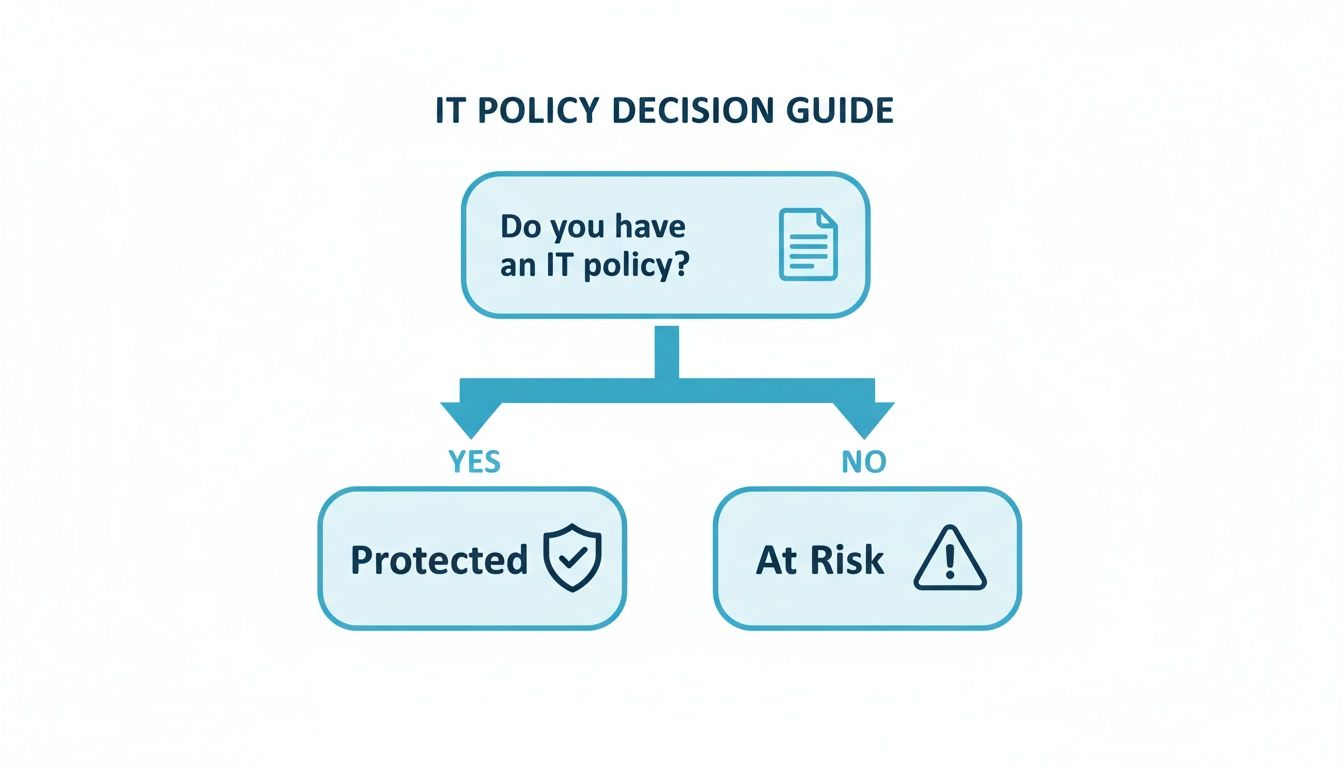
The flowchart makes it crystal clear: having a formal IT policy is the dividing line between being protected and being at risk.
A recent survey of New Zealand businesses highlights just how vulnerable many are. A shocking 69% of SMEs admitted to having no formal IT policy in place. Even more concerning, 42% said their first move when something breaks is to ask an "IT-savvy staff member" for help instead of a professional.
This ad-hoc approach is a huge gamble, especially for sectors like accounting and law where client confidentiality is everything. For them, significant downtime on a Monday morning or Friday afternoon isn't just an inconvenience—it's a disaster that can derail critical deadlines. A structured IT support model directly tackles these issues by creating clear policies and removing the risky reliance on a single person.
To help you decide which path is right for you, here’s a quick comparison of the three models.
Comparing IT Support Models for New Zealand SMBs
| Feature | Break/Fix Model | Managed Services (MSP) | Co-Managed IT |
|---|---|---|---|
| Cost Structure | Unpredictable, hourly billing | Fixed, predictable monthly fee | Predictable fee plus internal salary costs |
| Approach | Reactive (waits for issues) | Proactive (prevents issues) | Collaborative (proactive & reactive) |
| Incentive | Provider profits from your downtime | Provider profits from your uptime | Shared goal of system stability |
| Budgeting | Difficult to forecast costs | Easy, predictable monthly OPEX | Predictable external costs |
| Downtime | Higher risk of prolonged downtime | Minimised through monitoring | Reduced with expert backup |
| Best For | Businesses with very simple IT and high-risk tolerance | Businesses that need reliable, full-service IT support | Businesses with an internal IT person needing extra help |
Ultimately, the best model depends entirely on your business's specific needs, your budget, and how much you rely on technology to operate day-to-day.
The Five Pillars of Modern IT Support

Effective IT support for small business goes way beyond just fixing a computer that won’t turn on. In reality, a strong IT strategy is built on several connected components, all working together to protect your operations, data, and hard-earned reputation. Think of it as five essential pillars that every New Zealand business, big or small, needs to have in place.
Understanding these pillars helps you cut through the technical jargon and see what a comprehensive support partnership should really deliver. It’s not about buying individual services; it’s about building a complete defence system that keeps your business running smoothly and securely, day in and day out.
Cybersecurity Defence
First and most critically is your defence against online threats. This is no longer some distant problem affecting big overseas corporations; it’s a daily reality for Kiwi businesses. Good cybersecurity means creating multiple layers of protection to stop attackers before they can cause any damage.
This pillar covers the essential tools and practices that secure your digital front door.
- Firewall Management: This is the digital gatekeeper for your network. A properly configured firewall monitors all incoming and outgoing traffic, blocking anything suspicious based on a set of security rules.
- Antivirus and Anti-Malware Software: Consider this your frontline defence on every computer and server. It’s constantly scanning for, detecting, and getting rid of viruses, spyware, and ransomware.
- Email Security: So many attacks start with a dodgy email. This service filters out spam, phishing attempts, and malicious attachments before they even land in your team’s inboxes.
- Regular Security Patching: Hackers are always looking for new software vulnerabilities. Proactive patching ensures your operating systems and apps are always up-to-date, closing those security gaps before they can be exploited.
Data Backup and Recovery
Your business data is easily your most valuable asset. The second pillar makes sure that asset is always protected and, crucially, can be restored fast when things go wrong. We’re not just talking about planning for a major disaster like a flood in Queenstown; it’s about recovering from common issues like a hard drive failure, an accidental deletion, or a crippling ransomware attack.
A solid backup and recovery plan is your ultimate safety net. Modern solutions from Christchurch-based providers like Backup offer nationwide backup and security, so your data is secure no matter where your office is. It all comes down to automated, regular backups of your critical systems to secure, offsite locations.
A backup you can't restore quickly is just a storage expense. True business resilience comes from a tested recovery plan that can get you back online in minutes, not days.
This means having a clear, tested process to restore everything from a single file to an entire server, minimising downtime and financial loss. The ability to recover quickly is what separates a minor hiccup from a business-ending catastrophe. For a deeper look, it's worth exploring the fundamentals of secure cloud backup for business and how it underpins everything.
Proactive System Monitoring
Why wait for something to break? The third pillar is all about being proactive, using advanced tools to keep a constant watch over the health and performance of your entire IT environment. You can think of it as preventative medicine for your technology.
Instead of just reacting to problems after they’ve happened, this approach spots potential issues before they escalate. For instance, monitoring tools can flag a server's hard drive that’s starting to fail or unusual network traffic that might indicate a security breach in progress. By catching these warning signs early, an IT partner can step in and resolve the issue without you even noticing. It prevents costly downtime and keeps your team productive.
Responsive User Support
Even with the best proactive measures in the world, your team will inevitably need help. The fourth pillar is responsive user support—often called the helpdesk. This is the human element of IT support, giving your staff a direct line to experts who can solve their day-to-day tech problems quickly and efficiently.
Whether it’s a printer that won’t connect, trouble accessing a critical app, or just a password that needs resetting, a good helpdesk is vital for keeping everyone productive. This support should be easy to access through channels like phone, email, or a ticketing system, and backed by clear communication so your team always knows their issue is being sorted.
Infrastructure Management
Finally, the fifth pillar is the ongoing management of your entire IT infrastructure, both physical and digital. This covers everything from your servers and computers to network switches and cloud services. A reliable IT partner will manage the full lifecycle of this gear—from initial setup and configuration to ongoing maintenance and eventual replacement.
This pillar ensures your core technology is reliable, secure, and actually aligned with what your business is trying to achieve. It takes the burden of managing complex systems off your plate, freeing you up to focus on running your business, confident that the tech powering it is in expert hands.
How to Budget for IT Support Costs and Value

Let's talk about the bottom line. When you're looking into professional IT support for your small business, money is always a big part of the conversation. Understanding the costs is one thing, but grasping the value you get in return is what really makes the difference.
Here in New Zealand, you'll find a few common pricing models. Some providers charge by the hour for one-off fixes, others have a set fee for each device they look after. But the most forward-thinking providers usually offer a flat-rate monthly package. This approach gives you predictable costs and a whole suite of services wrapped into one fee.
But this isn't just about a price tag. The real conversation is about value. A small, fixed monthly investment in proactive IT support isn’t an expense—it’s your insurance policy against the crippling costs of downtime, data loss, or a security breach.
From Cost to Investment
Think about it for a second: what’s the real cost if your main server goes down for a whole day? Sales grind to a halt, your team can’t work, client deadlines get missed, and your hard-earned reputation takes a serious knock. Suddenly, that predictable monthly fee for proactive support looks like an absolute bargain.
The IT services market in New Zealand is growing incredibly fast. Stats NZ reported that sales hit a massive NZ$14.49 billion in 2023, which is a 28% jump from just two years earlier in 2021. For small businesses, this boom means more choice, but it also means you have to choose carefully. Kiwi companies are realising it's a strategic move to invest a small slice of their operating budget in managed IT rather than risking the huge financial fallout from a disaster. You can dig into the findings on IT supply from Stats NZ yourself.
Smart spending on services goes hand-in-hand with smart hardware choices. This savvy buyer's guide to refurbished laptops for small businesses is a great resource for building a robust IT setup without overspending.
Understanding Service Level Agreements
One part of any IT support contract that is completely non-negotiable is the Service Level Agreement (SLA). This is your guarantee. It’s the document that spells out exactly what your provider is committing to deliver.
A solid SLA defines the crucial metrics so you know precisely what to expect.
- Response Time: How quickly will they acknowledge your ticket or call?
- Resolution Time: What’s their target for actually fixing the issue?
- Uptime Guarantees: A promise that your critical systems will be up and running for a certain percentage of the time, like 99.9%.
An IT provider without a clear, written SLA is a major red flag. This agreement is your proof that they are committed to keeping your business running, not just cashing a cheque.
Affordable Plans for Kiwi Businesses
Proactive protection doesn’t have to break the bank. Here at Backup, our Christchurch-based team offers nationwide backup and security with simple, transparent pricing built specifically for Kiwi businesses like yours.
Our plans are designed to grow right alongside you:
| Plan Name | Monthly Cost | Ideal For |
|---|---|---|
| Business 10 | $30 | Sole traders and micro-businesses |
| Business 20 | $50 | Small teams and startups |
| Business 50 | $100 | Growing professional services firms |
| Business 100 | $150 | Established small to medium businesses |
These plans frame data protection as one of the smartest investments you can make. The easiest way to see the value is to try it for yourself. You can explore our options and start a no-risk, 14-day free trial to see just how simple securing your business data can be.
Your Checklist for Choosing an IT Partner in New Zealand

Choosing the right IT partner is one of the biggest decisions you'll make for your small business. Get it right, and they become a genuine extension of your team — a guardian of your data and a key player in your growth. Get it wrong, and you’re looking at constant frustration, security headaches, and expensive downtime.
To help you cut through the sales pitches, we've put together this practical checklist. It's designed to help you figure out if a provider truly has the expertise, infrastructure, and local knowledge to support your Kiwi business the way you need them to.
Can They Provide Genuine Local Support?
When your systems go down, the last thing you want is to be stuck in a queue for an overseas call centre. You need a team that gets the local landscape, from common connectivity issues in your region to standard New Zealand business hours. A Christchurch-based company, for example, is perfectly placed to offer nationwide backup and security support because they have a true grasp of local needs.
Ask any potential partner these questions straight up:
- Where is your primary support team actually based? You want to be sure you’re speaking with technicians located right here in New Zealand.
- What are your standard support hours? Check that they line up with when you’re actually doing business.
- Do you have experience with businesses in our specific region? This shows they understand the local context and aren't just a generic service.
Do They Understand Data Sovereignty?
For any Kiwi business handling sensitive client information, data sovereignty is non-negotiable. It’s simple: your data must be stored on servers physically located within New Zealand's borders, where it’s subject to our Privacy Act. Storing data offshore can open you up to serious legal and compliance risks you just don’t need.
A provider’s commitment to keeping your data on NZ soil is a direct reflection of their commitment to your security and legal compliance. It is an absolute must-have.
Your provider must be able to guarantee that your information stays onshore. Ask them directly where their datacentres are and demand a clear, contractual commitment to New Zealand data residency. No excuses.
Can They Prove Their Security Credentials?
Cybersecurity is a complex and constantly changing game. Any decent IT partner should be able to clearly demonstrate their expertise and prove their own systems are locked down. Vague assurances about having "strong security" simply don't cut it. You need specifics.
Drill down into their security practices with questions like these:
- What specific security frameworks do you follow?
- How do you protect your own infrastructure from attacks?
- Can you provide evidence of third-party security audits or certifications?
How they answer will tell you everything you need to know about their commitment to protecting not just your data, but their own operations. Real security is about verifiable proof, not just promises.
A Path to Confidence
Finding the right IT support partner gives you the confidence to stop worrying about tech and focus on your business. Here at Backup, our Christchurch-based team offers nationwide backup and security with transparent, affordable plans designed specifically for Kiwi businesses.
You can see how we stack up by starting a no-risk, 14-day free trial. You'll get hands-on experience with our service and see just how simple it is to get your data properly protected. Explore our plans and start your free trial here.
Take the First Step to Secure Your Business Data
Getting on top of your business security starts with one proactive decision. For too long, many small companies have been stuck in a reactive cycle, only thinking about IT disasters after they happen. In a world where your data is your most valuable asset, that's just not a viable strategy anymore. It’s time to move from a place of vulnerability to one of control.
Switching to professional it support for small business doesn't have to be a headache. Our Christchurch-based team provides nationwide backup and security for Kiwi businesses, powered by robust Acronis technology. The setup is straightforward, the pricing is clear, and the protection kicks in immediately.
If you're looking to get your head around the modern threat environment, this guide to modern data breach prevention is a great place to start.
A Clear Path to Protection
The best way to see the value in a dedicated backup and security service is to experience it firsthand. Instead of losing sleep over what could go wrong, you can feel confident knowing you have a solid plan in place. We make it easy for New Zealand businesses to get started, with no long-term commitment.
Our affordable plans are designed to grow with your business:
- Business 10: $30 per month
- Business 20: $50 per month
- Business 50: $100 per month
- Business 100: $150 per month
Don’t wait for data loss to force your hand. The most effective time to secure your business is right now, before a crisis hits. A small, proactive step today prevents a major disaster tomorrow.
Taking control of your data security is the smartest investment you can make in your company's future. We invite you to see just how easy and effective our service is with a completely no-risk, 14-day free trial. You can get enterprise-grade protection for your business, starting today.
Ready to secure your most valuable asset? You can start your free trial immediately and take the first step toward genuine business resilience.
Your IT Support Questions, Answered
Deciding to bring in professional IT support for your small business is a big move. It's completely normal to have a few questions before you commit, so we've put together answers to some of the most common things we hear from Kiwi business owners.
Think of this as the final checklist to help you get clear on the details and move forward with confidence.
My Business Is Tiny. Do I Really Need Professional IT Support?
Yes, absolutely. Here’s the thing: cyber threats and data loss don’t care how big your company is. In fact, a single ransomware attack or a critical hardware failure can be far more devastating for a small business than a large corporation. A big company might weather the financial storm, but for a small business, it could genuinely be game over.
Professional support isn't about size; it's about survival. It’s about making sure you can keep the doors open, no matter what digital disaster comes your way. Modern solutions are built to be affordable and scale with you, giving you the same level of protection the big players have, but on a small business budget.
What Is Data Sovereignty and Why Does It Matter for My NZ Business?
Data sovereignty is a simple but vital concept: it means your business data is stored on servers physically located right here in New Zealand, operating under our laws. This is non-negotiable for complying with the New Zealand Privacy Act, especially if you're in a field like law, finance, or healthcare where you handle sensitive client information.
When you use a provider like Backup, with secure datacentres in both Auckland and Christchurch, you get a guarantee that your data stays onshore. This isn't just about ticking a compliance box; it's about giving you and your clients peace of mind that your most valuable information is protected by local jurisdiction.
How Hard Is It to Switch to a Professional Backup Service?
You’ll be surprised at how simple and quick it is. The days of complicated, tech-heavy setups that took ages to get right are long gone. Today's services are designed to remove all the technical headaches, making it a smooth process even if you’re not a tech expert.
Usually, it's as straightforward as creating an account, downloading a small piece of software, and pointing it at the folders you want to protect. From there, it just runs quietly in the background, keeping your data safe without getting in the way of your actual work. We're here to help every step of the way to make sure the switch is seamless.
The best way to really get a feel for how easy and powerful a professional backup service is, is to see it for yourself. Watching it work without a hitch brings a level of confidence you just can't get from reading about it.
You can see just how easy it is to get protected with our 14-day trial. It’s a completely no-risk way to see the system in action and make sure it’s the right move for your business.
Ready to secure your business with a Christchurch-based team that offers nationwide protection? Backup provides simple, powerful, and affordable backup and security solutions. Our pricing is completely transparent, so you get exactly what you need without any surprises.
| Plan Name | Monthly Cost |
|---|---|
| Business 10 | $30 |
| Business 20 | $50 |
| Business 50 | $100 |
| Business 100 | $150 |
Take the first step towards total data security and start your no-obligation 14-day trial today at https://backup.co.nz/pricing/.