
A solid small business server backup is your company’s best insurance policy. It protects your most valuable asset—your data—from everything from hardware failure and cyberattacks to simple human error.
For any Kiwi business, having a robust, automated backup system isn't just good practice. It's fundamental to survival.
Why Server Backups Are Non-Negotiable For Kiwi Businesses
When you run a business in New Zealand, the threats to your server data are closer and more varied than you might think. We're not just talking about the big cyberattacks that make international headlines.
Often, the real dangers are far more mundane yet equally devastating. A critical hard drive fails without warning. A power surge fries your server. A burst pipe in the office floods the server room. Any of these can stop your operations in an instant.
Without a reliable backup, your business is wide open to catastrophic risk. Imagine losing every client record, all your financial data, and your project files overnight. The cost isn't just monetary; it's the loss of customer trust and the immense stress of trying to rebuild from nothing. That’s why thinking of your small business server backup as an insurance policy is so accurate—it’s a proactive investment in your company's future.
The Rising Tide Of Cyber Threats
Cyber threats, in particular, are a serious risk. Recent reports show that up to 132,000 small business leaders in New Zealand have been targeted by attacks, with 29% suffering direct financial losses as a result.
Even more concerning, research shows one in every three SMEs has faced at least one cyberattack in the last six months. These numbers make a passive approach to data protection incredibly dangerous. A proactive backup plan is a core pillar of a modern security framework.
A backup isn't just about recovering files; it’s about restoring operations. The goal is to get your business back online with minimal disruption, ensuring that a server failure is a minor inconvenience, not a complete disaster.
Your Ultimate Defence And Peace Of Mind
At Backup NZ, we're a Christchurch-based company providing nationwide backup and security services. We get the unique challenges facing Kiwi businesses because we are one.
Our solutions are designed to give you peace of mind by automating the entire backup process, so you can focus on running your business. A reliable, recoverable backup plan is your ultimate defence against data loss, making sure you can navigate any unexpected event with confidence. It's a key part of any effective business continuity and disaster recovery plans.
Ready to see how simple it can be? You can try our service with a 14 day trial. Our straightforward pricing starts at just $30 per month for the Business 10 plan, scaling up to meet your needs with Business 20 ($50/month), Business 50 ($100/month), and Business 100 ($150/month).
The Building Blocks of a Resilient Backup Plan
Figuring out a solid small business server backup strategy can feel like a headache, but it really comes down to a few key ideas. Let's skip the jargon and focus on the practical foundations that will keep your data safe and recoverable, no matter what gets thrown at you.
These are the non-negotiables for a plan that actually works when you need it most.
Embrace the 3-2-1 Rule
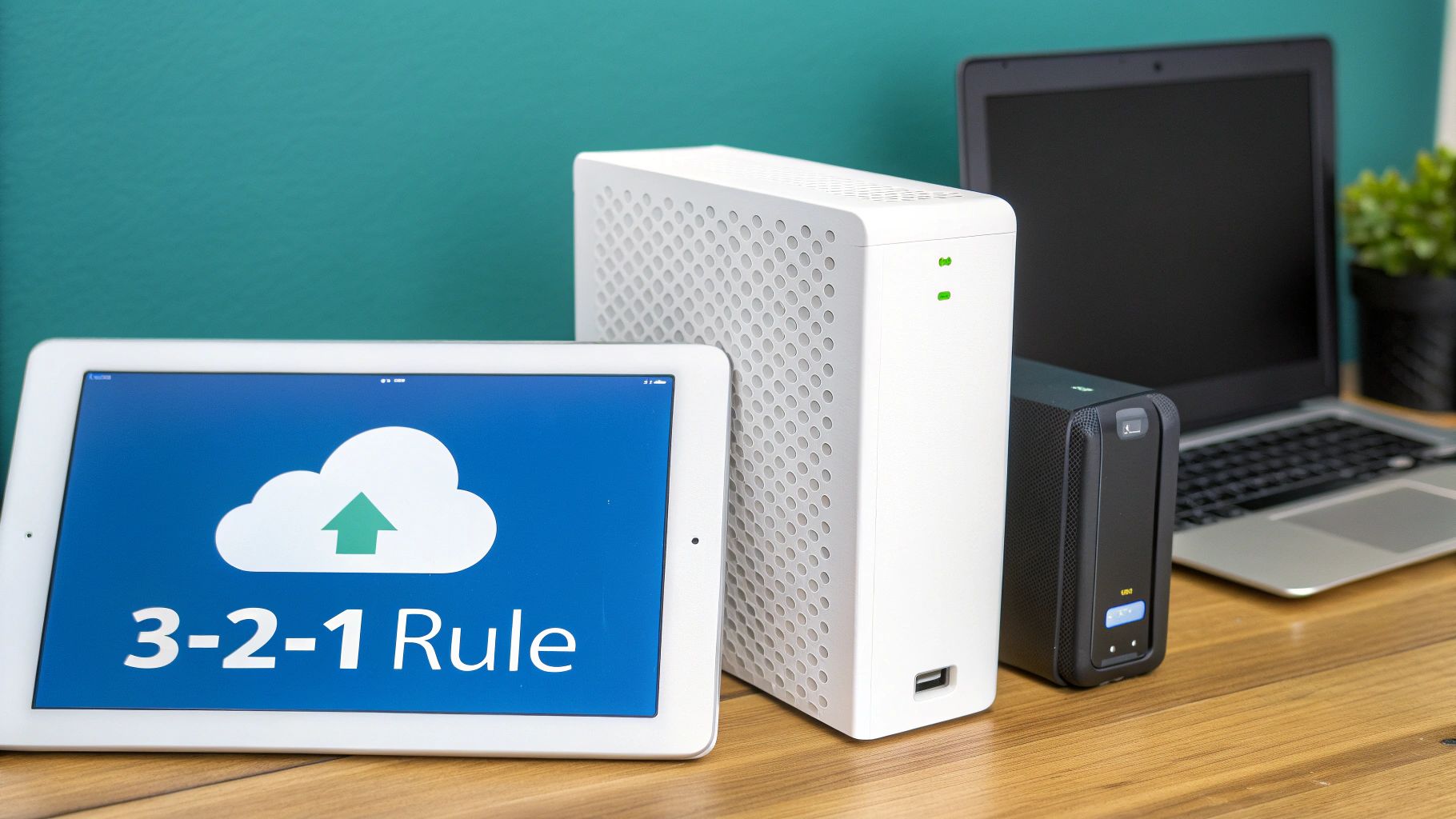
If you take one thing away from this, make it the 3-2-1 rule. It's the gold standard for data protection for a reason, and it’s a simple framework any Kiwi business can get behind. The whole point is to eliminate any single point of failure.
Here’s how it breaks down:
- Have three copies of your data. That’s your live server data and at least two backups.
- Use two different types of media. Don't put all your eggs in one basket. Keep copies on different devices, maybe your internal server drive and a separate cloud backup service.
- Keep one copy stored offsite. This is absolutely crucial. An offsite backup protects you from localised disasters like fire, flood, or even theft. If your office is in Christchurch, you need a secure backup somewhere else entirely.
Following this rule is what turns a simple data copy into a genuinely resilient recovery system. Our nationwide service, with data centres right here in Christchurch and beyond, makes getting that offsite copy sorted effortless.
Defining Your Recovery Goals
Before you even think about schedules, you need to answer two critical questions about how your business runs. These answers help define your Recovery Time Objective (RTO) and Recovery Point Objective (RPO).
In plain English, RTO is all about speed: How quickly do you need to be back online after a disaster? For some businesses, a few hours might be fine. But for an e-commerce site, every minute of downtime costs money.
RPO is about data loss: How much recent data can you afford to lose? If your team is constantly updating client files, losing even an hour's worth of work could be a huge setback.
Knowing your RTO and RPO is fundamental. These goals determine how frequently you back up and what kind of technology you need to meet your business's unique continuity requirements. They are the starting point for creating the best backup strategy for your small business.
Choosing Your Backup Method
Not all backups are created equal. The method you choose has a direct impact on storage space, how fast your backups run, and how quickly you can restore everything.
- Full Backup: This is exactly what it sounds like—a complete copy of everything. It's the simplest to restore from, but it eats up the most storage and takes the longest to complete.
- Incremental Backup: This method is smarter, only backing up the files that have changed since the last backup of any kind. It’s quick and uses very little storage, but restoring can be more complex because you need the last full backup plus all the little incremental ones.
- Differential Backup: This one backs up all the changes made since the last full backup. It uses a bit more space than an incremental backup, but it makes the restoration process much faster and more reliable.
A common approach is to mix and match. You might do a full backup once a week, then run differential backups every day. This gives you a great balance of speed, storage efficiency, and rock-solid reliability, protecting your server without bogging down your systems.
Finding the Right Server Backup Solution for Your Business
Trying to navigate the market for a small business server backup solution can feel like a minefield. With so many options out there—from on-premise hardware to fully cloud-based services—just knowing where to begin is often the biggest challenge. The real secret is finding a solution that fits your business, not forcing your business to fit the solution.
For a growing number of Kiwi businesses, that choice is becoming a lot clearer. We're seeing a huge shift away from traditional, clunky on-premise servers towards more nimble and secure cloud solutions. What's driving this? Escalating cyber threats and the simple need for data protection that just works, especially for remote and hybrid teams. Stronger data backup and recovery features are now top of the list for businesses making the move.
What to Look for in a Backup Partner
It's easy to get bogged down in technical jargon when you're comparing options. My advice? Forget the specs for a minute and focus on what actually matters for your day-to-day operations. A great backup solution should be like a silent partner—working away reliably in the background until the moment you really need it.
Keep these three non-negotiables in mind:
- Rock-Solid Encryption: Your data has to be encrypted, both while it's travelling over the internet and when it's stored. For protecting sensitive client details or financial records, this isn't optional.
- Room to Grow: The solution must be able to scale with you. The last thing you want is to be forced into a painful and expensive migration just because your data has doubled in a year.
- Real, Local NZ Support: When things go wrong, you need to talk to someone in your time zone who gets it. Waiting on hold for an overseas call centre is a recipe for prolonged downtime and immense frustration.
Many businesses also discover huge value in looking at comprehensive managed cloud backup solutions. This approach takes the technical weight off your shoulders, letting you focus on your business while the experts handle the nitty-gritty of keeping your data safe.
Straightforward Protection, Built for Kiwis
Here at Backup NZ, we're a Christchurch-based crew dedicated to providing top-notch backup and security nationwide. We’ve purposely designed our plans to be simple, transparent, and genuinely affordable for New Zealand businesses. You get enterprise-grade protection without the painful enterprise price tag, something we break down in our guide to cloud backup for business.
Choosing a backup provider isn't just a technical decision; it's a business partnership. Your provider should offer not just software, but also the assurance that your data is secure, recoverable, and locally supported.
To keep things clear and simple, here’s a transparent look at our monthly plans. We’ve designed them to help you find the perfect fit for your business data needs, without any hidden costs or complexity.
Backup NZ Plans at a Glance
| Plan Name | Data Allowance | Monthly Price (NZD) |
|---|---|---|
| Business 10 | 10 GB | $30 |
| Business 20 | 20 GB | $50 |
| Business 50 | 50 GB | $100 |
| Business 100 | 100 GB | $150 |
These plans are designed to scale right alongside your business, ensuring you only pay for what you actually need.
The best way to see if we're the right fit is to give it a go. You can see just how easy it is to secure your server data by starting a no-obligation 14-day trial. It's the perfect way to test out our automated, secure solution and see how it works for your business.
Putting Your Backup Strategy Into Action
A plan on paper is a good start, but a real-world small business server backup strategy lives and dies by its execution. This is where we get our hands dirty and turn those concepts into a reliable system that actually protects your business day in, day out.
First things first: you need to figure out what really needs protecting. For most Kiwi businesses, this isn't every single file on your server. It’s the specific data that, if it disappeared, would grind your operations to a halt.
Think customer databases, your accounting software data (like Xero or MYOB files), financial records, and any core applications your team relies on. That’s your priority list.
Once you’ve got that sorted, it’s all about automation. A backup that depends on someone remembering to click a button is a backup that will eventually be forgotten. Automating the schedule means your data is protected consistently, running quietly in the background without anyone having to think about it.
This flowchart breaks down the key stages of choosing the right tool for the job, from the initial evaluation right through to the final decision.
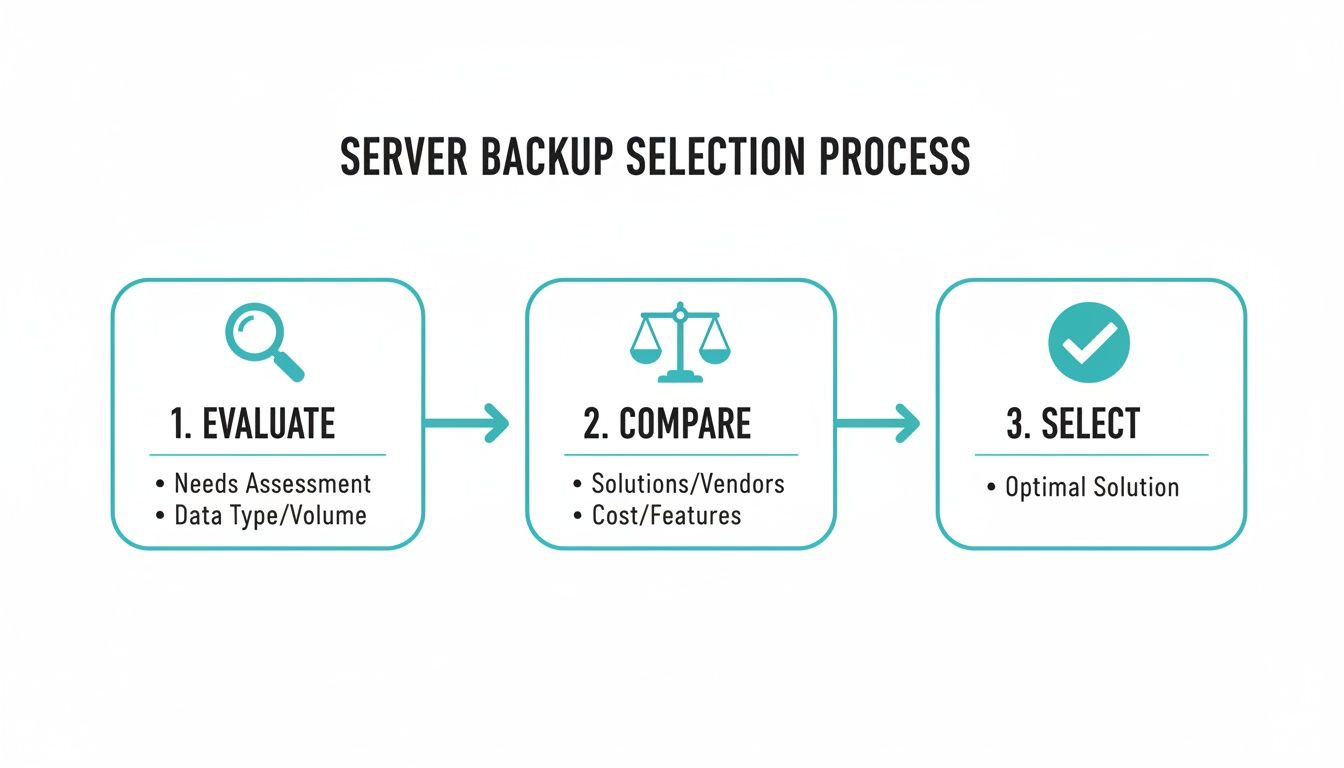
As you can see, a methodical approach—evaluating needs, comparing options, and selecting the right fit—always leads to a better, more effective backup solution.
A Real-World Example
Let's take a small retail business right here in Christchurch. Their server is the heart of the operation, holding their point-of-sale system, inventory records, and customer loyalty database. Data loss would be catastrophic. They decide it's time to set up their first proper offsite backup with a nationwide provider like us, Backup NZ.
They start by pinpointing their critical data: the SQL database for sales and the folder containing all their financial spreadsheets. Using our software, they create a new backup job, selecting just those essential items. They then schedule it to run automatically every night at 2 AM, when the shop is closed and the server isn't busy.
This simple setup ensures every day's business activity is captured and securely stored offsite in our Christchurch data centre. It protects them from everything from hardware failure and theft to something more serious.
The Most Important Rule: Untested Backups Are Useless
Here’s a hard truth I’ve learned over the years: an untested backup is not a backup, it's just a hope. You can have backups running perfectly for years, but if you can't actually restore your data from them when a crisis hits, they are completely worthless.
This is, without a doubt, the single most overlooked step in any backup strategy. Performing regular test restores isn't just a good idea; it's non-negotiable. It is the only way to be 100% confident that your data is safe and, more importantly, recoverable.
Think of a test restore as a fire drill for your data. You practise the recovery process in a controlled way so that when a real emergency happens, you know exactly what to do and can be certain your plan will work as expected.
For our Christchurch retailer, this means doing a test restore once a quarter. They don't overwrite their live data—that would be risky. Instead, they restore their critical database and spreadsheets to a separate, temporary folder on the server. A quick check to confirm the files are intact and can be opened is all it takes.
This simple check confirms their entire backup and recovery process is working perfectly. It transforms their backup from a hopeful gamble into a guaranteed recovery plan, giving them genuine peace of mind.
To experience this for yourself, feel free to explore our plans and start a no-obligation 14-day trial.
Future-Proofing Your Data With Advanced Strategies
Once you’ve got a solid, automated small business server backup routine ticking away, it’s tempting to just set it and forget it. I get it. But the reality is, the threats facing Kiwi businesses are constantly changing.
Staying ahead of the curve means thinking beyond just simple recovery. We need to be building a truly resilient data defence that protects you not just from today's problems, but from whatever comes next. This is where we start talking about clever strategies for things like ransomware and making sure your data stays right here in New Zealand.
The Power of Immutable Backups
If there's one thing that keeps business owners up at night, it's ransomware. One of the most powerful defences against it is the immutable backup.
Think of it like this: an immutable backup is unchangeable for a set period. Once that backup file is created, it cannot be altered, encrypted, or deleted—not even by an administrator with the keys to the kingdom.
This is an absolute game-changer. If a ransomware attack tears through your network and encrypts your live server, it simply can't touch your immutable backups. You have a guaranteed clean, uncorrupted version of your data ready to restore, making the attacker's demands completely useless. It's the ultimate failsafe in your security toolkit.
Keeping Your Data on Shore in NZ
It might not seem obvious, but the physical location of your backups really matters. Using a provider with New Zealand-based data centres, like our own facilities here in Christchurch, gives you two massive advantages. First, it keeps your sensitive business data under the protection of local Kiwi privacy laws, which is a huge deal for compliance.
Second, it makes recovery so much faster. The data centre boom happening in New Zealand is a big deal, with revenue projected to hit US$1.58 billion. This is fuelling a major shift away from clunky, expensive on-premise servers. Restoring terabytes of data from an overseas server can take days, but from a local data centre? We're talking hours. You can read more about these data centre innovations and their impact on NZ businesses.
A hybrid model often provides the best of both worlds. It combines the rapid recovery speed of a local backup with the robust, offsite security of a cloud backup stored in a secure New Zealand data centre.
Finally, truly future-proofing your data goes beyond just active backups. You also need a plan for old hardware. Understanding processes like secure data sanitization is vital for making sure no sensitive information is left behind when you retire old equipment.
We offer nationwide backup and security from our base here in Christchurch. Ready to implement these advanced strategies? Explore our plans and start a no-obligation 14-day trial today.
Ready to Secure Your Business?
You've made it this far, which means you now understand what it takes to build a proper defence for your business's most valuable asset—its data. The only thing left to do is put that knowledge into action. Don’t wait for a server crash or a sneaky ransomware attack to show you where the gaps are.
We've walked through the real-world risks, the practical solutions, and a clear path forward. Now’s the time to turn that plan into real protection with a trusted, New Zealand-owned solution built for Kiwi companies just like yours. As a Christchurch-based company, we offer nationwide backup and security that understands the unique challenges local businesses face.
Simple Plans for Kiwi Businesses
We firmly believe that a robust small business server backup shouldn't be complicated or break the bank. Our plans are designed to be completely straightforward and scalable, so you only ever pay for what you actually need.
- Business 10: $30 per month
- Business 20: $50 per month
- Business 50: $100 per month
- Business 100: $150 per month
Imagine the peace of mind that comes from knowing you have an automated, secure, and reliable server backup working for you 24/7. Your data is protected, your operations are resilient, and your focus can stay right where it belongs: on growing your business.
The biggest mistake you can make is waiting. An untested backup strategy is really just a hope, but an unimplemented one offers no protection at all. Taking proactive steps today is the best investment you can make in your company's future.
It's time to turn your good intentions into concrete protection. Let's secure your business's future and show you just how easy it is to get started.
You can begin your no-obligation 14-day free trial with Backup NZ today.
Common Questions About Server Backups
We get asked a lot of questions by Kiwi business owners trying to get their heads around server backups. Here are a few of the most common ones, with some straightforward answers to point you in the right direction.
How often do I actually need to back up our server?
For the vast majority of small businesses here in New Zealand, a daily backup is the absolute baseline. Think about it this way: if your server went down right now, how much work from today would you be willing to lose and have to redo?
This concept is what we in the industry call your Recovery Point Objective (RPO). For a busy online store processing orders every few minutes, they might need backups running every hour. For a professional services firm, a nightly backup is usually spot-on. Our software is flexible, so we can schedule it to run automatically to match the rhythm of your business, ensuring you're always protected.
Is the cloud really secure enough for our company's sensitive data?
Absolutely, but with a big caveat: you have to choose the right provider. Security is our bread and butter. We use what's known as end-to-end encryption, which is the gold standard for protecting data.
This means your business information is scrambled into unreadable code on your server before it even leaves your office. It stays encrypted while it travels across the internet and remains that way while stored securely in our Christchurch-based data centres. Honestly, this level of security is often far stronger than what most small businesses could manage on their own, and it helps you tick the box for complying with New Zealand's privacy laws.
What’s the difference between a file backup and a full server backup?
This is a great question. A file backup is exactly what it sounds like – you pick and choose specific important files and folders to copy. It's selective.
A full server backup, on the other hand, is a complete clone or 'image' of your entire server. We're talking everything: the operating system, all your software, user settings, and every last piece of data.
The real magic of a full server backup is how quickly it gets you back up and running after a total disaster. If the physical server fails, you can restore the entire system to a brand-new machine in one go. It dramatically cuts down your downtime compared to the painful process of reinstalling every single thing from scratch.
At Backup NZ, we take the complexity out of protecting your business. From our base in Christchurch, we help companies all over the country with secure, automated server backups that just work, giving you one less thing to worry about.
Ready to see how simple it can be? Kick off your no-obligation 14-day free trial today.